
KINTOテクノロジーズ の技術ブログ
全1123件
Introduction Hi there. This is emim who joined the company in June 2025! In this article, I interviewed the new members who joined in June 2025 and collected their first impressions after starting work at KINTO Technologies. I hope this article will be helpful for those interested in KINTO Technologies (KTC) and serve as a reflection for the members featured here! Jun Self-introduction I work on a business system for used vehicles as a member of the Business System Group in the Business System Development Division. Two jobs ago, I worked as a PM on contracted development projects at a system integrator. Most recently, I was involved in developing B2B SaaS products at a startup. How is your team structured? Our team handles system development and operations for KINTO's used vehicles. Our team consists of five KTC members including myself. Most of the development (programming) is outsourced to partners, and KTC members mainly handle product management, project management, requirements definition, system design, and operational maintenance. What is the atmosphere like on-site? We're constantly reviewing operations and systems as the business expands, and actively adopting new technologies. It's a dynamic environment where there's never a dull moment. In the system I am currently working on, we use Java for the backend and Vue3 for the frontend. We haven't been able to utilize AI much yet, but we are trying to use GitHub Copilot and Devin in development. What made you decide to join KTC and were there any surprises? I joined KTC because I wanted to develop systems in a company where IT is directly connected to the business. We’d like to dedicate more time to developing solutions that make operations and system management easier, but we haven’t been able to get to that yet. What do you like about the office? There is a small break area with a tea machine, where I can enjoy the sunlight. I always eat lunch there. It’s not especially luxurious, but it offers a refreshing change of pace. Question from S to Jun You mentioned wanting to drive various cars. Please tell me which car you are most interested in right now and why! It's the GR Yaris. I want to try driving a genuine sports car. Nakano  Self-introduction I work in the Digital Transformation Solutions Group, a team that provides digital transformation support for dealerships. I am involved in PdM work and future planning tasks. How is your team structured? The team consists of eight members, including PdM and designers, working on the design and direction of the dealer digital transformation products. We are advancing the project in collaboration with the sales and development teams in the same division. What is the atmosphere like on-site? Everyone is calm, kind, and capable! I was impressed that everyone has not only system development skills but also a deep understanding of and interest in the complex dealership operations. What made you decide to join KTC and were there any surprises? At my previous company, an advertising agency, IT was just one part of the business. I wanted to work for a company where IT is the core focus and knowledgeable professionals gather. My impression hasn't changed since joining. This is a place where experts gather! What do you like about the office? I work in Osaka Tech Lab. I really like the the panoramic view of Osaka from my desk. (It can be seen from any seat.) One of the perks of this office is the mountain view. It helps me unwind between tasks. Question from Jun to Nakano Please share one thing you found amazing after joining KTC🙇 I was amazed by how many proactive and positive people there are! Since I joined, things are constantly moving forward. Everyone's so proactive about their work, technical growth, expanding our sites, and more. (The team spirit at Osaka Tech Lab is seriously incredible!) Kazuki Otaka Self-introduction I am Otaka, who joined the cloud security group in June! I work on cloud security, leveraging CSPM and threat detection mechanisms to monitor compliance with guardrails and drive continuous improvement activities across our multi-cloud environment. I have also written the KTC tech blog articles in the past. Please feel free to read them. (For past articles, click here ) How is your team structured? There are three of us, two in Osaka Tech Lab and one in Jimbocho office. What is the atmosphere like on-site? The atmosphere is calm, and the people are very warm and welcoming. Internal study sessions, lightening talks, and Beer Bashes are frequently held. There are many highly skilled and professional people. I want to do my best not to lag behind! What made you decide to join KTC and were there any surprises? In my previous job, I had many opportunities to work on building systems in on-premise environments. I decided to join KINTO Technologies, which builds systems entirely in the cloud, as I wanted to acquire skills in building and operating systems using cloud environments. I feel that we are in an environment at the forefront of cloud infrastructure operations more than I had imagined, with IaC (Infrastructure as Code) being advanced mainly on AWS and the verification and utilization of generative AI being pursued. What do you like about the office? Usually, it's quiet and calm. But when equipment was suddenly installed in the office and a PoC began, I could really feel the spirit of people trying new things, and I quite liked that. Question from Nakano to Kazuki Otaka Please tell me about the interesting and difficult aspects of security work! Security risks can severely affect the business when issues arise, but on the other hand, overly strict security can obstruct business operations and development. As cyber attacks evolve, finding the balance between implementing and operating necessary security without hindering business growth is challenging, but that's also what makes it interesting. Yuna  Self-introduction I am Yuna, part of the Business System Division's Business System Group, which develops business systems used by dealers. Currently, I work on a renewal project for the system used by dealers during business negotiations. Recently, a car I subscribed through KINTO was delivered, and going for drives every weekend has become my new hobby. How is your team structured? It's a team of three full-time employees including myself. I am working on requirements definition and maintenance operations while receiving daily support from the leader and another team member. I am working steadily to contribute while absorbing new knowledge and skills. What is the atmosphere like on-site? I have been warmly welcomed both in and outside my team. It is a very nice atmosphere. Although KINTO's products and operations are complex with much to learn, I'm catching up smoothly with excellent guidance from my team. What made you decide to join KTC and were there any surprises? I joined as a product manager, continuing from my previous job. To advance my career, I searched for a company where I could pursue what I wanted to do as a product manager. That's how I found KTC. During the interview, I talked with the current manager and leaders about the job details, and I really liked the team's vibe. Those were the deciding factors. I knew before joining that I would be working in a more tech-oriented area than in my previous job. However, once I started, I realized the role required more advanced skills, and I've been learning continuously ever since. What do you like about the office? I work on the 16th floor of the Muromachi office. It is directly connected to Mitsukoshimae Station and Shin-Nihonbashi Station, making it comfortable even on rainy days. There is a Starbucks within the building, and there are many restaurants and shops nearby, making it a very convenient environment. Taking a short walk during lunch break is a good way to refresh myself, and it helps me work better in the afternoon. Question from Kazuki Otaka to Yuna Do you have a favorite among your hobbies of making sweets and baking bread? Once I was also into bread, and I used to go to a bakery near Tokyo Gakugei University! Recently, I've been enjoying making "Mayonnaise Corn Bread" topped with plenty of seasonal summer corn. The sweet corn and savory mayonnaise infuse the fluffy bread dough with flavor. Even the wait while it bakes is a joy. emim  Self-introduction In the Engineering Office, a cross-organizational team, we conduct analysis, create systems, and engage with various divisions and teams from a designer's perspective to enhance the overall development capabilities of the organization. How is your team structured? There are only three members in the team, including myself. One is a manager who focuses on the entire organization while being a front-end developer, and another is focused on improving software processes and development productivity. The other is me. I undertake various initiatives to enhance designers' presence within the development organization. What is the atmosphere like on-site? The Engineering Office is highly distinctive. Everyone works on different things and we're not in one location, yet we collaborate and share information remarkably well. I think this is because the team has members with some unique skills. What made you decide to join KTC and were there any surprises? I've always liked cars but the mobility industry was something unfamiliar to me. Then, I thought that I could apply my skills acquired so far, and I submitted my application. Before joining the company, I was given quite detailed information by my team members. So there wasn't much of a gap. What do you like about the office? Working in Nihonbashi Muromachi makes my commute enjoyable every day. Questions from Yuna to emim I heard you like movies and TV dramas. Are there any films or shows you've seen that have influenced your work in design? Thank you for remembering my hobbies! I really love sci-fi, and I'm always excited when I come across UIs and devices I've never seen before. My decision to pursue design stemmed from my desire to design such unknown/novel devices. I tend to study and approach design with a focus on information architecture, creating systems that can properly deliver information across any type of digital device. Taka  Self-introduction I believe my work is about creating strategies in the space between n=1 (individual cases) and statistical generalizations. I love quantitative data analysis and in-depth interviews for achieving goals, and I could do it forever. The three important impulses that have shaped my life are "Observe," "Weave a story," and "Curate." How is your team structured? We have members with experience at operating companies (from large enterprises to startups), talented data analysts, and skilled engineers. What is the atmosphere like on-site? Culturally, we're a team that values a goal-driven mindset. We value a proactive approach to problem-solving that isn't constrained by convention. What made you decide to join KTC and were there any surprises? I joined because I have a hypothesis that individual-focused marketing is crucial during this period of global transformation in the automotive industry and I wanted to put this into practice and drive change. What do you like about the office? The bright sunlight coming in through the large windows on the 16th floor of the Muromachi office. It's nice to work with a view of the open sky and plenty of natural light, since we're not surrounded by tall buildings. Questions from emim to Taka I heard you've worked in various roles throughout your career. Is there anything you feel is unfinished or that you haven't accomplished yet? Also, what are your ambitions at KTC, and how do you plan to use your best skills here? Well, I've worked in different roles, but I actually feel that my core hasn't changed, and I believe what I've been doing is "design to connect people." The one thing I haven't accomplished yet is starting a business. My ambition is as I wrote why I joined the company! S  Self-introduction I work in a team that develops the front end of KINTO ONE (a new vehicle subscription service). How is your team structured? The team consists of eight engineers (six in Tokyo, one each in Osaka and Fukuoka). We adopt a Scrum development framework with one-week sprints. What is the atmosphere like on-site? I'm the only one based in Osaka, so I primarily communicate with other team members online. The team has a welcoming atmosphere where it's easy to ask questions. When I ask questions in chat, I get quick responses, so I don't have any issues at work. What made you decide to join KTC and were there any surprises? I joined because I believe the mobility sector will continue to evolve, and I wanted to contribute to the product development that supports that growth. I was able to learn thoroughly about the team before joining, so there was mostly no gap between my expectations and reality. What do you like about the office? I like that the office is directly connected to Osaka Station, making commuting easy. I also appreciate how spacious and clean it is, and I find it interesting to see areas designed to look like a garage and roads inside. Question from Taka to S Please tell me if you have any experiences where you talked about something you really like or find interesting, but the other person was put off. (Your true impulses might be hidden there.) I find complete nutrition foods convenient and easy to prepare for my daily meals, so I'm trying products from various manufacturers. My refrigerator is filled with those. When I tell people about it, they often get taken aback. In Closing Thank you everyone for sharing your thoughts after joining our company! There are more and more new members at KINTO Technologies every day! We will be posting more stories from our newcomers across divisions, so stay tuned! And yes, we are still hiring! KINTO Technologies is looking for new teammates to join us across a variety of divisions and roles. For more details, please check here !

はじめに こんにちは、2025年5月入社の satoshi です! 本記事では、2025年5月入社のみなさまに、入社直後の感想をお伺いし、まとめてみました。 KINTO テクノロジーズ(以下、KTC)に興味のある方、そして、今回参加下さったメンバーへの振り返りとして有益なコンテンツになればいいなと思います! Y 自己紹介 人事グループのYです。前職ではエンジニアをしていたこともあります 所属チームの体制は? 私の所属している組織人事チームは3名ですが、同じグループ内の採用チーム・労務総務チームや、KINTO管理部の皆さんとも連携する機会が多くあります KTCへ入社したときの第一印象?ギャップはあった? 落ち着いた大人な印象の方が多いですが、コミュニケーションはとてもフランクです 現場の雰囲気はどんな感じ? 何でも相談できるので、とても助かっています! ブログを書くことになってどう思った? techな要素は無いエントリですが、大丈夫ですかね笑 satoshi ⇒ Yさんへの質問 飼ってる猫ちゃんのカワイイエピソードを教えてください! 洗剤の匂いが好きなのか、洗濯物をたたんでいるとよくクンクン・ペロペロ・スリスリしに寄ってきます せっかく洗った服やタオルも、あっという間に猫毛まみれになります笑 D.K 自己紹介 業務システム開発部で、審査・与信管理業務領域を担当しています。 金融システムに関与しており、前職も販売金融でした。 所属チームの体制は? 実は1人チームです。プロダクトの要件定義と開発を進めながら、来年6月の本リリース後から運用・保守するメンバーを集め、チームビルディングするのが今後の課題です。 KTCへ入社したときの第一印象?ギャップはあった? テックブログから感じていた以上にAIやIoTなど最新技術情報に関するイベントや社内実証試験が多いことが印象的で、良い意味でのギャップでした。 KTCはリース業務に縛られない幅広い技術の研究やプロダクト開発が行われており、新しいモノ好きに最適な会社だと感じました。 現場の雰囲気はどんな感じ? チームを超えて気軽に質問・相談・雑談できる雰囲気です。業務内外隔てなく真剣に議論する姿をよく見かけます。 また、業務部門であるKINTOとの距離感が近く、当事者意識を持って技術側がリードしてプロダクトを開発していくスタイルがKTCらしいなと感じています。 ブログを書くことになってどう思った? TechBlogを参照していたので、とうとう周ってきたなと。 できるだけ率直な意見を記載しました。社外の方が弊社の雰囲気を感じ取る参考になれば幸いです。 Yさん ⇒ D.Kさんへの質問 室町オフィス周辺のおすすめランチを教えてください! 地味ですが、「そばよし 日本橋本店」です。 鰹節問屋直営のうどん・蕎麦屋なので、店内がだしの香りでいっぱいです。 是非ご飯も注文してみてください。鰹節の削粉がついてくるので、少しだけ醤油をかけて食べるおかかご飯が鰹節の香りがたまりません! N 自己紹介 QAグループでアプリの方のQAを担当しています。前職もアプリのQAでした。 所属チームの体制は? QAグループ全体は11名で、私が所属しているチームは4名で各アプリを担当しています KTCへ入社したときの第一印象?ギャップはあった? KTCへの印象は大人な方が多く穏やかな印象を持っていましたが、熱量が高く技術的な情報を発信されている/学ばれている方が多い印象も加わりました! 現場の雰囲気はどんな感じ? 和気藹々としていて気軽に質問したり、相談も出来る雰囲気です! ブログを書くことになってどう思った? TechBlogを書くのは久しぶりですが、これから何かと書く機会が増えるので慣れていこうと思っています D.Kさん ⇒ Nさんへの質問 お笑いが好きだと伺っていたので、最近の推し芸人を教えてください! すごくピンポイントなのですが、天才ピアニストさんのドアノブ点検のコント最高です! 個人的にM-1 2016~2019あたりの漫才師さんどの方も好きです!ぜひ観てみてください M.K 自己紹介 DataOpsグループでデータの管理をしています。Osaka Tech Labで働いています。 以前はインターネット広告やインターネットメディアの領域にいました。 所属チームの体制は? グループは全部で10人ほどですが、普段の仕事ではもう一人の大阪のメンバーとチームを組んでいます。 グループのマネージャーも大阪にいるので、コミュニケーションは取りやすい環境にあります。 KTCへ入社したときの第一印象?ギャップはあった? 今までに働いた会社と働き方や使っているツールが近かったので、違和感なく働き始めることができました。 現場の雰囲気はどんな感じ? なんでも質問しやすい雰囲気があり、キャッチアップしやすいと感じました。 また、Osaka Tech Lab特有かもしれませんが、違うグループの方にもオフィスで積極的に話しかけてもらえるので馴染みやすかったです。 ブログを書くことになってどう思った? 私も仕事をさがしていたときTechBlogにお世話になったので、今度は誰かの参考になれば嬉しいです。 Nさん ⇒ M.Kさんへの質問 車を運転されるということで、ドライブでおすすめの場所教えてください! 私自身はカーシェアをよく使っていて、普段から乗るわけではないので、なるべく安全で快適な片側2車線以上の高速道路を使うようにしています。 関東なら千葉や茨城方面、大阪近辺だと中国自動車道が走りやすくて好きです。 m 自己紹介 OsakaTechLabに所属しており、QAグループにてアプリのQAを担当しています。前職までは開発をしていました。 所属チームの体制は? QAグループ全体は11名で、私が所属しているチームは4名で各アプリを担当しています。(nさんと一緒のチームです) KTCへ入社したときの第一印象?ギャップはあった? 生成AIを利用したプロセス改善等に関してとても意欲的である印象を持ちました。また技術に対しても熱量の高い方が多い印象です。 現場の雰囲気はどんな感じ? 気さくな方が多く馴染みやすい感じです。質問も気軽にできる環境です。 ブログを書くことになってどう思った? KTC入社前にTechBlogを見ていたので自分もついに、、、!と思っていました笑 M.Kさん ⇒ mさんへの質問 大阪オフィスが新しくなりました。前のオフィスと比べてどうですか? 見晴らしがとても良いです。(朝から夜までずっと景色が本当に綺麗) 開放感があって個人的にはとても集中しやすい環境になりました。 satoshi 自己紹介 my route開発部でバックエンド開発を行なっています 前職はWeb系で同じくバックエンド開発、前々職はネットワーク系の企業でネットワークエンジニアをやっていました 所属チームの体制は? バックエンドチームは4人、その他に協力会社の方々が10人以上います 7月からフロントエンドチームも同じオフィスに合流し、賑やかになりました! KTCへ入社したときの第一印象?ギャップはあった? 堅い会社なのかなと思いきやそんなことはなく、活発にコミュニケーションを取りながら開発出来ています また、AIに関しては全社的に熱量高く取り組んでいて、業務全般でAIを活用することができ凄く助かってます 現場の雰囲気はどんな感じ? 仲良く開発しています。相談もとてもしやすい雰囲気です my routeはBtoCのプロダクトのためお客様からの問い合わせも多く、日々わちゃわちゃしています ブログを書くことになってどう思った? これまで様々な会社のテックブログを読んでいたので、ついに自分もという感慨深い?気持ちです mさん ⇒ satoshiへの質問 出身地について何か語ってください、、! 出身は京都府です! 夏は高温多湿、冬は極寒の過酷な環境で育ちました 今でもたまに帰り、インバウンドの人々に混じって京都巡りを楽しんでいます さいごに みなさま、入社後の感想を教えてくださり、ありがとうございました! KINTOテクノロジーズでは日々、新たなメンバーが増えています! 今後もいろんな部署のいろんな方々の入社エントリが増えていきますので、楽しみにしていただけましたら幸いです。 そして、KINTO テクノロジーズでは、まだまださまざまな部署・職種で一緒に働ける仲間を募集しています! 詳しくは こちら からご確認ください!
0. はじめに KINTOテクノロジーズのCloud Infrastructure G(CIG)でInfrastructure Architectを担当している劉(YOU)です。 AIの著しい進化に伴い、世界的に生成AIを活用して様々な取り組みを実施することが日常になりました。生成AIをどれだけ使いこなせるかが重要ですが、併せて生成AIを利用することにより発生するリスク対策も重要になります。 弊社の今年の年間テーマとして AIファースト が掲げられており、積極的なAI活用を始め社内外で多くの活動を実施しています。社内ではさまざまな部署が生成AIを活用したアプリケーションの開発をする動きが増えています。しかしそれに比例するように生成AI利用におけるセキュリティ対策の重要性も増しており、アプリケーションの開発スピードを落とすことなく実施できる対策の検討が急務となっています。 社内のクラウド環境に責任を持つCIGでは、社内のSCoEチームが発表している様々な AIセキュリティ関連の資料 を元に、生成AIセキュリティを実現するために何をすべきかという点で取り組みの優先順位を決めました。 OWASP Top 10 for LLM Application 2025 をKTCのクラウド環境に適した内容になるよう整理し、それを実現する方法として生成AIガードレール、特にAWS Bedrock Guardrailsを採用することにしました。 本記事ではこのような背景の中で、我々がAWS Bedrock Guardrailsの導入に向けて取り組んだことを詳しく解説します。下記の事項を中心に前編と後編で分けてご紹介します。 なぜ生成AI活用でセキュリティを確保する必要があるのか 生成AIの安全を担保するために生成AIガードレールがなぜ重要なのか 生成AIガードレールの中でもなぜAWS Bedrock Guardrailsを選択したのか 今までKTCがAWS Bedrock Guardrailsで何をやっているか 前編である本記事では、 生成AIセキュリティの必要性と実現するための生成AIガードレールの概要 についての情報を記載します。後編でご紹介するAWS Bedrock Guardrailsの具体的な説明の前に、「生成AIセキュリティ」と「生成AIガードレール」についての基本的な考え方を整理し、それを踏まえてAWS Bedrock Guardrailsの役割を正確にご理解いただけるような情報をご提供します。なお、生成AIのセキュリティ全領域をカバーするとなると内容が長くなり過ぎるため、生成AIガードレールを中心とした内容を簡単に取り上げます。 後編では、 生成AIガードレール適用のためのAWS Bedrock Guardrails についてまとめる予定です。理論の話がメインの前編とは違い、後編では主にAWSを使った実装ベースの解説を行います。元々は後編のみの記事を書く予定で書き始めたのですが、この話題でセキュリティの前提となる情報を割愛することは難しかったので前編・後編に分割することにしました。AWS Bedrock Guardrailsの取り組みについては後編で重点的に扱いますのでご留意ください。 本文書では LLMs at Scale.ai のJothi Periasamy氏の著書 Guardrails-GEN-AI-Government-Services から主要な考え方を多く参考にさせていただきました。生成AIガードレールに興味があり、深掘りしたいという方は是非ご覧になって下さい。 :::message 本記事にまとめた情報は弊社内のセキュリティルールの内容とは直接関係は有りません。あくまでも 取り組みの参考資料として活用された内容・外部公開されているソースのみを記載 してます。 ::: 1. 生成AIセキュリティの重要性 1-1. 生成AIのセキュリティリスク ここ最近では、生成AIのアップデートに関するニュースを目にしない日はありません。日本国内を見ても、生成AIの導入が加速化し、それとともに企業や公共機関が直面するセキュリティリスクとそれに対応する方法への関心が高まっているように思います。 これから繰り返し生成AIの脅威について取り上げますが、その中でも最も 代表的なセキュリティリスク ^1 には次のようなものがあります。 1-1-1.代表的なセキュリティリスク このようなセキュリティリスクは国内でも深刻に受け止めてられており、日本政府からも各AI事業者に対して積極的に高いセキュリティガバナンスを保つことを要求しています。 海外との交流では2023年G7議長国として、基盤モデル及び生成AIを含む高度なAIシステムを議論する広島AIプロセス ^2 を主導し、国際行動規範を設けました。 国内では、総務省と経済産業省が2024年4月にAI事業者ガイドライン ^3 を発表しました。 このガイドラインは広島AIプロセスの内容を踏襲しており、人間中心、安全性、プライバシー保護など10項目を含めています。 1-1-2. 国内外の生成AIセキュリティに対する動き しかし、政府が積極的にAIセキュリティの推進を行ってはいるものの、 現在はまだガバナンス未整備 の企業が大多数です。その理由としては色々有りますが、客観的な情報を提示しながら考察してみます。 1-2. 統計で見る生成AIセキュリティの現状 日本企業を対象にした生成AIとセキュリティに関する意識調査 ^4 では次のような結果がでています。 1-2-1.生成AIとセキュリティに関する意識調査 この時、回答者が心配したリスク要素として「法的権利の侵害(64%)」、「情報漏洩(61%)」、「ハルシネーション(56%)」、「不正・不具合の混入(34%)」が上位にランクインしており、 前述したセキュリティリスクと実際の企業が感じてる危険要素 ^1 とも結果が合致しています。 特に法的に問題視される内容が1・2位に揃ってランクしており、各企業が個人情報保護法の順守を重要視していることが見て取れます。2024年改正でのウェブスキミング対策 ^5 を見ても、国として流出等発生時の報告·通知義務と安全管理措置の対象が拡大していることがわかります。 生成AIの運用時にも、これらの規定を遵守するための取り組みが欠かせません。 こういった流れを見ると、改めて セキュリティリスクに対する懸念が生成AIの利用に影響を与えている と強く感じます。 総務省の情報通信白書 ^6 によると、業務における生成AIの活用状況の実体は国別に次のような結果が出ています。 1-2-2.業務における生成AIの活用状況 ^6 日本で46.8%(“業務で使用中”と回答した割合)であり、他国と比較するとその割合は低い。“トライアル中”までを含めると、米国、ドイツ、中国の企業は90%程度が使用しており、日本企業は社内向け業務から慎重な導入が進められていることがわかった 日本企業の生成AI使用率は世界的に比べて低い水準ですが、これは主に データ、資産、個人情報などのリスク管理方案およびガバナンス体系の不在 ^7 だと述べています。これを見ても、AIシステム開発の一連のガバナンス政策を計画する段階から商用化後まで、全段階にわたって構築することが重要であることが分かります。 詳細のデータは右のリンクを参照「 IPA DX白書2025 」 前述の調査 ^4 では、回答者の77%が生成AIを使用していますが、その内の27.1%が 生成AIに関するセキュリティ教育 がないと回答し、全回答者の93.6%が「関連ガイドラインを整備中」と答えました。つまり、回答者が属している 企業の大多数が安全なガイドラインを必要 と感じているということです。 1-3. 安全なガイドライン これらのデータを踏まえ、「 安全なガイドラインを作成 」 するために一番重要なことはなんでしょうか?この問いの答えの一つになるのが 構造化された生成AIガードレールの採用 です。ガードレールにはプライバシーリスクや入力値・出力値を検査し、セキュリティプロトコルを強制する統制を可能にし、インジェクション/ハルシネーション、毒性(Toxicity、生成AIが有害なコンテンツを生成するリスク)などのリスクを緩和する仕組みが取り入れられています。 一般的なガードレールは、主に行動を許容するかブロックするかに焦点を当てています。しかし、生成AIにおけるガードレールには、倫理的な運用目標も含まれます。「有害であったり、テーマから外れた出力を検知し、それを予防するメカニズムを導入すること」が、この分野におけるAI主導の運用を実現する鍵となります。これは単に脅威を阻止するだけでなく、AIの動作に直接関与することを意味します。特に、生成AIガードレールを適切に適用する戦略によって、高い透明性、責任性、安全性を確保した状態で生成AIを利用することが可能になります。 2. 生成AIガードレールについて 2-1. 概要 生成AIガードレール とは、生成AIシステムが安全かつ倫理的に動作し、組織の目標や社会の価値観に適合することを保障するための 構造化されたフレームワーク、指針 です。ガードレールは、AIシステムの入力、処理、および出力を制御する役割を果たします。このような制御は、迅速なインジェクション、個人情報の流出、ハルシネーション、偏見といった危険を軽減することで、出力結果が正確で安全かつ関連性のあるものであることを確認するのに役立ちます。特に、組織が法的基準を順守し、倫理的原則を守り、機密情報を保護できるようサポートします。 一般的には、企業が提供するGPT, Claude, Geminiのような基盤モデルの場合、ある程度のセキュリティが自主的に保証されていますが、それでも完璧ではありません。最近の研究 ^8 によると、テストされたすべてのLLM(大規模言語モデル)は基本的な脱獄攻撃に対して依然として非常に脆弱であり、一部のモデルは特別な迂回の試みがなくても有害な結果を提供することが確認されています。そのため、このようなガードレールの重要性はさらに高まっています。 生成AIソリューションでのガードレールは次の3つの段階で実現します。 入力段階 (プロンプト/ユーザー質問) : ユーザー入力の有効性検証と悪意のあるプロンプトブロック 検索段階(拡張コンテンツ) :RAGシステムで検索された情報の品質と関連性検証 出力段階(応答) : 生成された応答の安全性、正確性、適切性の検証 様々なタイプのガードレール制御がありますが、一般的にガードレール制御はこうなります。 2-1-1.一般的なガードレール制御 さらに、これらすべてのコントロールは、ビジネスとセキュリティの要件に応じて高度にカスタマイズできます。 すべてのガードレール アーキテクチャ オプションは、ビジネスの要件とセキュリティ ポリシーによって決定されます。 2-2. アーキテクチャ ガードレールの実装には様々な方法がありますが、まずは方法論的な部分を整理してみましょう。 単純なRAGアーキテクチャ ^9 は、外部システムと相互作用せず、独自のランタイム環境内でのみ動作し、エージェントが関与しない実装方式です。 2-2-1.単純なRAGアーキテクチャ ナレッジベース、意味検索、順位、ベクトルデータベースのようなLLMおよびそのサポートプロセスと直接相互作用を重視し、カスタマイズされたガードレールコンポーネントのようなガードレールコントロールを使用して、ユーザープロンプトとLLM応答およびナレッジベース検索を制御します。 簡単に設計·実装できる ため、オープンソースソリューションと組み合わせて使用する場合は、この方法を採用することをお勧めします。 エージェントベースのアーキテクチャ ^10 は、外部システムおよびアプリケーション、メモリ、コード インタープリタ、外部システムの呼び出しなど、さまざまなタイプのツールが存在します。 ここでは、エージェント アーキテクチャ タイプによってガードレールの制御が決まります。 2-2-2.エージェントベースのアーキテクチャ 例えば、スーパーバイザーエージェントがいるエージェントアーキテクチャでは、スーパーバイザーエージェントと協業エージェント間の共通ガードレール制御を通じて、より複雑なセキュリティシステムを実現することができます。 しかし、エージェントを活用するアーキテクチャはまだベストプラクティスが成立できてないことで、 複雑度も高いし、実装も非常に難しい 状態になっています。そこで、技術変化を対応しているエンタープライズソリューションを活用したら、検証されたエージェントベースのアーキテクチャをすぐに使えます。 2-3. 実装するための選択肢の比較 2-3-1.ソリューションの種類 次に、企業でガードレールを適用する際に ・オープンソースソリューションを採用して独自にガードレールを構成する ・エンタープライズソリューションを採用してガードレールを構成する について長所と短所を比較してみましょう。 評価項目 Open Source Soulution Enterprise Soulution 初期コスト ◎ △ 人的コスト x ○ ライセンスコスト ◎ x カスタマイズ性 ◎ △ ベンダー依存性 ◎ △ 定期的アップデート △ ◎ 技術的専門性要求 x ○ 専門サポートサービス △ ◎ セキュリティ関連対応力 △ ◎ 2-3-2.ソリューションの長所と短所 非常に良好:◎、良好:○、不良:△、非常に不良:x オープンソースソリューションを利用して実装すると、自社独自の要件とドメインに合わせてカスタマイズできます。 そして、ビジネス要件に合うように内部データとサービスロジックに特化した細かい制御が可能だという点は非常に大きなメリットです。 さらに、他のオープンソースを活用するのと同様に、初期コストが節約されるだけでなく、特定のベンダーロックインも防止できます。 しかし、オープンソースソリューションを利用して実装するということは、 AIに対する高い技術的専門性と開発ができる専門部隊が必要 になります。 そして、該当ガードレールに対して持続的なアップデートとメンテナンスが発生し、専任のAI関連部署が存在しなかった場合、一般的な企業では 人的コストが大幅にかかって しまいます。 そして結局、カスタマイズをした瞬間から自主的にガードレールの評価を進めなければならないため、検証されていない セキュリティホール ^11 が存在する可能性があります。 何よりも安全なガイドラインがない状況であれば、要件を定義することからが問題になります。 その為、上記を運用できない場合はエンタープライズソリューションの利用が有効です。 すぐに使用可能な検証済みのセキュリティ機能を持っており、随時発生するセキュリティイシューに対して持続的なアップデートと専門的なサポートサービスを提供します。 そして生成AIセキュリティに要求される多様な規定を自動的に支援してくれます。 つまり、 「安全なガイドラインの作成」をすぐに享受できる のがエンタープライズソリューションだということです。 ただし、エンタープライズソリューションはライセンスコストや使用量によるコスト増が発生します。 そして、特定ベンダーのガードレールオプションを使用することになれば、特定ベンダーへの依存性が増加することも避けられません。 また、自分たちのビジネス要件に合ったガードレールを実装したい場合、カスタマイズオプションの制限が存在する可能性があります。これは 独自のセキュリティ規定が存在する場合、その規定を準拠できない かも知れません。 もちろん、エンタープライズ ソリューションの欠点を補完した事例も存在します。 私が今まで調べたところ、かなり理想的な形はブルームバーグの ハイブリッドガードレール戦略 があります。 下記はブルンバーグのAIグループ首席エンジニアであるラーマン氏の話 ^12 です。 これらすべてを実現するために、ブルームバーグはオープンソースモデルと商用モデルの両方を使用し、内部で訓練されたモデルも使用しています。 「私たちは特定の技術と強結合されていません」とラーマン氏は言います。 つまり、1つのプラットフォームのガードレールを使用するだけでは十分ではないということです。 ブルームバーグが1つのスタックで成功したとしても、同社は既製のガードレールツールが提供するものを超えることを望んでいるだろうと、彼は言います。 2-3-3.スイスチーズモデル 様々なガードレールを重畳させるスイスチーズ戦略を活用して、特定のガードレールにセキュリティ欠点が発生しても、幾層にも重なったガードレールで問題発生を防止できるようにしました。本当に理想的で優れた方法だとは思いますが、このような方法をする状況は非常に 厳格なセキュリティ規定とリソースが存在する時に行うもの だと思います。 その為、大多数の企業は合理的なガードレールを選定するために、多くの考慮をする必要があります。 もう少し本質的な内容に近付けるためには、ガードレールの設計についての領域に触れることになります。 2-4. アプローチ・設計 「 Building Guardrails for Large Language Models 」 ^13 という論文ではAIガードレール構築について深層的に扱っています。ここではAIガードレール設計は技術的複雑性と多様な利害関係者の要求事項をバランスよく調和させなければならない複合的な課題だと定めています。 KTCが主に考慮した部分は Conflicting Requirements (相反する要求事項)、 Multidisciplinary Approach (多学際的アプローチ)の二つの側面について扱っております。独自にガードレールの開発はしないため、開発論について扱う残りの二つは除外しました。 相反する要求事項はAIの安全性と性能の間の相反する要求事項を解決することを意味します。 2-4-1.相反する要求事項 全てのガードレールを最初から適用してセキュリティを保障しようとしても、 求める答えを出さないAIなら、AIを使用する目的自体が失われる ことになります。 そのため、最も重要なガードレールから始めて、必要に応じて徐々に範囲拡張することをお勧めします。 ガードレールを徐々に拡張するためには多くの 学際的アプローチ も必要です。 これは、 技術的専門性、倫理的フレームワーク、ガバナンス構造、利害関係者の関与を組み合わせる ことを意味します。 例えば、 弊社ではSCoE(Security Center of Excellence)チーム、AI First部、プラットフォームG、クラウドインフラGなど多様な利害関係者がキックオフから参加しており、AIシステム構築初期から各分野の専門家集団がKTCに必要なガードレールの検討/適用を実施しています。そのガードレールを適用したAIシステムの一つがAgent-store ^14 です。 2-5. 統合(Integration) 最後に、 ガードレールは完全なセキュリティを保証するサービスではない ことを注意する必要があります。 単一のガードレールではすべてのセキュリティリスクを完璧に防御することはできないし、ガードレール以外でも様々な側面からセキュリティリスクを考慮する必要があります。 例としては次のとおりです。 2-5-1.生成AIガードレールの統合 その他にも説明できなかった要素が存在しますが、ガードレールだけで生成AIセキュリティを担保することはできず、 様々な観点での対応が必須 ということを理解していただければと思います。 3. まとめ 生成AIの活用が本格化する中で、個人情報流出やプロンプトインジェクション、ハルシネーションなど、従来にはなかった多様なセキュリティリスクが顕在化しています。日本国内でもAIセキュリティに対する意識は高まりつつあり、政府・民間ともにガイドラインやガバナンスの整備が進められていますが、実際の現場では依然として不安や課題が残っています。 こうした状況において、生成AIガードレールは、AIシステムの安全性・倫理性を担保し、組織の目標や法規制に適合したAI活用を実現するための重要な仕組みとなります。ガードレールは入力・出力段階での検証やフィルタリングを通じて、さまざまなリスクを低減し、AIの有用性と安全性のバランスを実現します。 生成AIガードレールの実装にはオープンソースソリューションやエンタープライズソリューションなど複数の選択肢があり、それぞれにメリット・デメリットがあります。各社のリソースや要件に応じて最適な構成を選択することが重要です。また、生成AIガードレールだけに依存するのではなく、プロンプトエンジニアリングやPCS(People Centric Security)、継続的なモニタリングなど、様々なセキュリティ対策の組み合わせが必要となります。 AIセキュリティの実現には、技術面だけでなく、法務・倫理・ガバナンスなど多様な観点からのアプローチと、いくつもの専門部署の連携が欠かせません。まずは最も重要なリスクから段階的に生成AIガードレールを導入し、状況に応じて拡張していくことが、実践的で現実的な戦略となります。 KTCでも生成AIのセキュリティをどのように保障するかを検討し、多々実施している施策の1つとして生成AIガードレールを導入しています。 次回(後編)の記事では、今回の記事の内容を踏まえ、どういった観点から AWS Bedrock Guardrails の採用に至ったのか、AWS Bedrock Guardrails はどのように機能するのか、そしてAWS Bedrock Guardrailsを通じてどのような試みをしたのかについて取り上げる予定です。ぜひお楽しみに!
こんにちは!SREチームのkasaiです。 KINTOテクノロジーズ株式会社は、「SRE NEXT 2025」にて、プラチナスポンサーとして協賛いたしました! ブースにお越しいただいた方ありがとうございました! 参加者の皆様とお話しすることができ、いい刺激になりましたし、さまざまな学びを得ることができました。 SRE NEXTに参加した弊社社員による座談会の様子は、以下の記事で読むことができますので、ぜひご覧ください! https://blog.kinto-technologies.com/posts/2025-07-18-sre_next_look_back/ ブースでは「あなたのNEXTは?」というお題でアンケートをとらせていただきました。 ご協力いただいた方ありがとうございます! この記事ではアンケート結果を共有したいと思います。 ボードに貼られた付箋たち(左1日目,右2日目)  2日分の付箋の束 アンケート結果 アンケートへの回答数は2日間で312件でした! 回答内容をいくつかのカテゴリに分類して共有したいと思います。 ※回答のカテゴリ分類はGeminiを使って分類しています。 SRE・組織文化 (60件) SREの実践や文化の醸成、採用、チームビルディングに関する回答です。 SREを推進できるようになる SRE文化の浸透 エンジニア採用を成功させる ワクワクできるエンジニア組織にする! Embedded SRE共通基盤 SREとしてどう振る舞うか、SRE的な考えをどう浸透させるかといった話や、採用が難しくもっと人が欲しいといった声が多くあったようです。 私もどうすれば他のチームの人にSRE的な考えをメリットとして感じてもらえるか、上手く伝えられるかを悩んでいるので、とても共感することができました。 AI活用 (58件) AIやLLMを活用した業務効率化や、新しい価値創出に関する回答です。 AI活用をインフラ・SREに Agentic DevOpsの実現 インシデント対応をAIだけでできるようにする AI活用でトイル削減 AI利用で週休7日!! もうすでに使っていて活用を広げたいと思っている人もいれば、これから使いたいと思っている人もいました。 私も生成AIは使っていますが、コードを書く時の補助程度にしか使っておらず、例えば、インシデント対応をすべてAIでやってもらえるようにするといったことはできていないので、そういうコードを書く時以外にも使えるように挑戦していきたいと思いました。 技術・サービス改善 (58件) SLI/SLO導入、パフォーマンス、技術的負債の解消など、サービス品質向上に関する回答です。 SLI/SLOの導入 パフォーマンスを爆速にしてユーザ体験よくしたい 技術負債の解消 運用を全て自動化したい! eBPFやっていき SLI/SLOの導入やオブザーバビリティの拡充が多くありました。 私もSLI/SLOについてまだまだ勉強することが多くありますし、導入実績も少ないので、どんどん実践していき知識・知見をためていきたいと思います。 事業・キャリア (41件) 事業への貢献、プロダクト成長、IPO、転職や昇進などキャリアに関する回答です。 ビジネスサイドを理解して仕事する 事業Growth! IPO CTOになる! 転職 技術的な話だけではなく、事業に関する話もありました。 私は信頼性に関することを開発側だけではなく、ビジネス側とも会話する必要があると感じていますが、他にも同じような考えの人がいたり、ビジネスをどうグロースさせていくかを考えている人もいたようです。 私自身はまだまだビジネス側と距離がある状態になってしまっているので、この距離を縮めて、SRE的に事業へ貢献できたらと思いました。 登壇・アウトプット (30件) カンファレンス登壇やブログ執筆など、社外への情報発信に関する回答です。 キートーク頑張る 毎月アウトプット PHPカンファレンス2026北海道やります!! CFPたくさん出す! Speakerになる カンファレンスという場だったからかもしれませんが、登壇に関するものも多かった印象です。 SRE NEXTに登壇すると書いていた人もいたので、登壇したくなるようなイベントを開催できていることがとても素晴らしいなと思いました。 私もブログや登壇等で、弊社のことについて広め、多くの人にどういう会社なのかということを知っていただけるようにしていきたいと思いました。 その他 (65件) 上記のカテゴリーに当てはまらない、プライベートな目標やユニークな回答です。 サウナ行く! 南極でペンギン見る 幸せになる 夜ご飯を食べる 旅行に行く 仕事やSREに関係ないことも書いてもらっていました。 健康の維持や気分転換も仕事する上で必要だなと再認識しました。 せっかくなのでこのままGeminiに総括もお願いしました! 全312件の回答、誠にありがとうございました。今回のアンケート結果からは、現代のエンジニアが持つ、技術、組織、事業、そして個人としての多岐にわたる健全な関心事が鮮明に浮かび上がってきました。 最も多くの回答が集まったのは「SRE・組織文化」であり、これはSREを単なる技術的な役割としてだけでなく、チームや組織全体の文化として捉え、その醸成や発展に強い意欲を持っていることの表れです。僅差で「AI活用」と「技術・サービス改善」が続き、最先端技術への探求心と、サービスの信頼性向上というSREの核となる責務への高い意識が両立していることがわかります。これら3つのカテゴリーがほぼ同数で上位を占めている点は、非常にバランスの取れたエンジニアリング観を象徴していると言えるでしょう。 また、「事業・キャリア」や「登壇・アウトプット」に関する回答も多く、日々の業務を越えて、事業への貢献やコミュニティへの価値還元といった、より広い視野で自らの役割を捉えている方が多いことも印象的です。 そして、「その他」のカテゴリーは、仕事だけでなく、健康やプライベート、個人の夢といったウェルビーイングを大切にする価値観を明確に示しています。 総じて、技術的な卓越性を追求しつつも、組織や人、事業への貢献を忘れず、個人の人生の充実も図るという、現代的で成熟したエンジニア像が浮かび上がる、非常に示唆に富んだアンケート結果でした。 以上がアンケート結果およびそのまとめでした。 SRE NEXT 2025のテーマは「Talk NEXT」です。そのためそれにちなんだお題、またブースに来てくれた人と対話できるようにという思いでこのアンケートをすることに決めました。 抽象度の高いお題にしたことによって、SREsだけではなく、他ロールのエンジニア、ひいてはエンジニア以外の人とも対話することができて、とても良いお題だったと感じています。 回答に関して、昨今のトレンドである生成AI周りの話が多く、SRE領域でAIをどう使っていくかを考えている人が多かった印象です。 また、私自身、システムのメトリクス取得はできていますが、そのデータを使ってどう意思決定をするか、ビジネス側に影響を与え、事業に貢献できるかといったことが、まだまだできていないので、そこができるようになるとSREとしても面白くなっていくと思っていますし、挑戦していきたいなと思いました。 そのほかの回答も共感できるものが多く、当日ブースでは楽しく会話させていただきました。ありがとうございます! 最後に 最後に改めまして、ブースにお越しいただきありがとうございました! たいへん多くの方にお越しいただきました。 SRE NEXTの運営の方々も素晴らしいイベントありがとうございました。 スタンプラリーなどの企画のおかげでこれだけ多くの人がブースに訪れてくれたと思います。 来年のSRE NEXTも何かしらの形で関われたらと思います。 また来年のSRE NEXTでお会いしましょう! We Are Hiring! KINTOテクノロジーズでは一緒に働く仲間を探しています! まずは気軽にカジュアル面談からの対応も可能です。少しでも興味のある方は以下のリンクからご応募ください! https://hrmos.co/pages/kinto-technologies
はじめに こんにちは!KINTO テクノロジーズ クラウドセキュリティGの大高です。 普段は、クラウド環境のガードレールの整備とCSPMや脅威検知を利用した監視と改善活動に取り組んでいます。 現在のセキュリティを取り巻く状況について最新の情報にキャッチアップすべく、 Hardening Designers Conference 2025 に参加しましたので、レポートをお届けします。 Hardening Project とは Hardening Projectは、実践的なサイバーセキュリティスキルの向上を目的とした競技型のイベントです。 プログラムの参加者は脆弱性を抱えたシステムを運用しながら、外部からの攻撃に対して防御・復旧・改善を行い、現場さながらの対応力を養います。 単なる技術力だけでなく、チームワークやドキュメント整備、運用体制の構築など、総合的なインシデント対応力が評価される点が特徴です。 今回参加した、『Hardening Designers Conference 2025』は、10月の競技型イベントに向けて、『Invisible Divide』というテーマをもとにした、ハンズオンとカンファレンスという位置付けのイベントです。 Day1 Hands-on Program ハンズオンでは、『Living off the Land』呼ばれる攻撃手法について体験しました。 Living off the Landとは、攻撃者がシステムに元々備わっている正規ツールや機能を悪用して侵入・操作を行う手法です。例えば、Windows 環境ではPowerShellやWMIなどを使うことで、攻撃を行います。 ポイントは、攻撃者が使用するツールは標準搭載のツールや機能であり、外部から持ち込んだファイルなどを使用しないため、通常のオペレーションとの判別が難しく、セキュリティツールによる検知が困難になるという点です。 攻撃に使われるコマンド例には、かつて私がシステム管理をしていた際にお世話になったコマンドもいくつか含まれていました。 通常の運用の中で使われないツールやコマンドであれば無効化することで対策できるかもしれませんが、頻繁に使用し簡単に無効化できないものであれば、ログを取得して監視するなどしかないのかもしれません。 サーバー攻撃が高度化し、攻撃操作と正規のオペレーションの境界が非常にわかりにくくなっていることを実感したワークショップでした。 Day2・3 Conference Program 2・3日目は、様々なLTやセッションを通して、サイバーセキュリティの文脈における『分断』について、最新技術の共有や取り組みの紹介、トークセッションが行われました。 セキュリティの現場では、さまざまなステークホルダー間に「分断」が存在し、それがHardening(セキュリティ堅牢化)を阻む障害となることがあります。例えば、実際の現場では以下のような分断が発生しています。 開発・運用・セキュリティ担当者間の分断 機能の実装や運用の効率性を重視するあまり、セキュリティが後回しにされることがあります。例えば、パスワード管理やアカウント制御が適切に行われず、脆弱性が生まれることがあります。これを防ぐには、セキュリティを「制約」ではなく「品質の一部」として捉え、開発初期からセキュリティ要件を組み込むセキュリティバイデザインやシフトレフトの取り組みが重要になってきます。 システム利用者とシステム開発者・運用者の分断 システムの利用者は使いやすさを求める一方で、セキュリティの重要性を理解していないことがあり、技術者はシステムへの機能要求とセキュリティの実装の間で板挟みになることがあります。このギャップを埋めるために、ユーザーへの教育とシステムの構築・運用の際に利用者との丁寧なコミュニケーションを図り理解を求める姿勢が必要になります。 ルール策定者と実行者の分断 ルール策定者(セキュリティ担当者)は公的機関や専門機関が公表している様々なガイドラインを参考に理想的なベースラインやルールを定めますが、現場(システム開発・運用担当者)ではシステム上の制約や運用負荷によりベースラインに忠実な実装が困難な場合があります。実際に適用するには、制約や運用負荷を考慮した上で、適切にセキュリティを実装できるように柔軟な対応を行うことが重要です。 攻撃者と防衛者の分断 攻撃者が技術革新と連携によって高度な攻撃を仕掛ける一方、防衛者はコストや関係者の理解不足によりセキュリティ対策が後手に回ることがあります。サイバーセキュリティ被害にあった企業は情報開示をためらい、同様の被害を防ぐための知見が共有されないこともしばしばです。防衛側も情報共有や連携を強化したいところですが、なかなか思うように進まない状況があります。 AIと人間の分断 AIを使用したプログラムコードの生成や生成AIを用いたSOC業務の高度化など、ITの現場では生成AI活用の取り組みが広がっていますが、生成AIは明確な指示がなければセキュリティを考慮することができない場合が多いというのが現状のようです。生成AIの発展は目覚ましいですが、まだ人間とAIの間には、能力に差があるようです。AIを適切に活用するには、プロンプト設計やガードレールの導入など、人間側の工夫がまだまだ不可欠です。 改めて考えると、実に多くの『分断』が存在していることがわかります。 セキュリティについて、こういった切り口から考えたことはなかったため、非常に参考になりました。 『分断』を乗り越えるKINTOテクノロジーズの取り組み 私たちクラウドセキュリティGでは、「ビジネスのためのセキュリティ」を基本方針とし、セキュリティがビジネスの足かせになるのではなく、ビジネスを加速させる存在であるべきだと考えています。 セキュリティ対策は以下の2つの側面から実施しています 予防的ガードレール:アカウントのセキュリティプリセット環境(開発チームに提供する前に最低限必要なセキュリティ設定を事前に実装したアカウント)を提供し、初期段階から安全な設計を支援。 発見的ガードレール:Sysdig、AWS Security Hub、Amazon GuardDutyなどを活用したSOC監視により、リアルタイムでの脅威検知と対応および定期的なPosture管理による、問題のある設定のカイゼン活動を実施。 これらのセキュリティ対策・運用を通して、自社のセキュリティガイドラインを遵守しつつ、開発者が必要なセキュリティを担保された環境かつ自由に安心して開発に集中できる環境を整備する取り組みを進めています。これは、ルール策定者と実行者の分断及び開発・運用・セキュリティ担当者間の分断を乗り越えるための取り組みといえます。 また、AIセキュリティについても少しずつ取り組みを開始しています。(具体的な取り組みについては こちら )しかし、技術の進化やトレンドの変化が非常に速く、現状では少々後手に回っている印象です。社内においても生成AIの業務利用やプロダクトへの実装は活発に進んでおり、どのようにコントロールを実装し、AIとの分断を乗り越えていくのかが今後のチャレンジとなります。 さらに、IPAが公開している「家づくりで理解する要求明確化の勘どころ」を参考に、KINTOテクノロジーズのシステム開発プロジェクトにおける心構えを見直す取り組みを進めています。これは、システム構築に限らず、セキュリティの観点からも、システム利用者と技術者の間にある分断を意識し、より良い関係性と成果を生み出すための取り組みといえます。IPAの家づくりについては、 こちら を参照ください。 まとめ Hardening Designers Conference 2025を通して、普段自分自身が意識したことのない『分断』という観点から、さまざまなセキュリティの動向を学ぶことができ、有意義な時間となりました。また、自分の組織のセキュリティを『分断』という観点から確認してみることで、今の取り組みについて再確認することができました。 これからも、より良いセキュリティを実現すべく『分断』を乗り越えていく取り組みを継続・改善していきたいと思いました。 さいごに 私の所属するクラウドセキュリティ グループでは、一緒に働いてくれる仲間を募集しています。クラウドセキュリティの実務経験がある方も、経験はないけれど興味がある方も大歓迎です。お気軽にお問い合わせください。 詳しくは、 こちらをご確認ください。
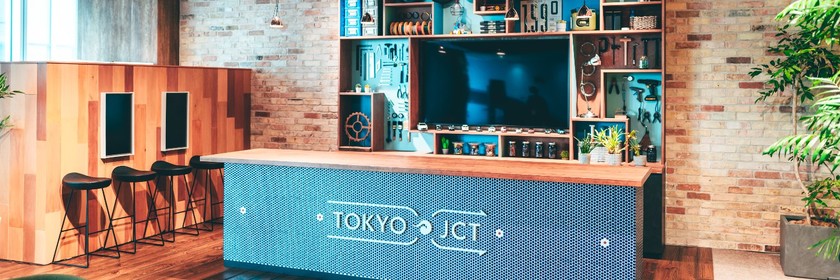
Our Osaka office "Osaka Tech Lab" moved in July. ( Check out the new office here ) The goal for this office was to accelerate innovation, new things, and experimentation and create products from the Osaka Tech Lab. A grassroots movement started to gather people who resonated with this goal—kind of a "follow me!" vibe—and get them involved. That's when the request came to me in the Creative Office at our Tokyo office. I wanted to realize the ambitions of the Osaka office members from a creative perspective! I wanted to be part of making this happen! So I decided to join in and make every effort to contribute to them although my power may be insufficient. (Doing what you want to do—that flexibility is pretty appealing, isn't it?) First, to visualize what the new office should be like as it comes to life, we decided to create a concept and develop a story that would connect to the office's interior design and recruitment promotions. The project title is "Osaka Tech Lab 2.0 STORY." Osaka Tech Lab 2.0 STORY: the Journey towards Our Goal I interviewed the CEO and vice president about a story of what they aim to achieve in the future, starting with the reasons behind the company's decision to establish an office in Osaka. Following the interview, I thought the key part of this new office project's concept would be what we should do to achieve our ideal vision and what kind of place we create. Based on this core idea, we created a slogan (concept words) in simple terms that anyone in the company could understand, to get all members on the same page. By the time this part came up, we were already communicating weekly with the Osaka members and the Tokyo-based production team. This fostered the following mindset: "Let's have a breakthrough!" It was a fun and lively meeting where we could freely discuss what are in our minds, and sometimes a casually spoken word would be adopted as is. (Thanks to the project manager who encouraged us to have fun discussions on this.) And Here Is the Concept Words That We Created: *At the concept planning stage, it was written as "Co-LAB", but we decided to spell "CO-LAB" using all capitals as "CO" contains a broader meaning, rather than an abbreviation for Company. *We played with the words in our slogan. Shown in the above image, the "GO" in "Shu-GO" (to gather) is a pun on "Let's go!" to add a sense of action. Similarly, "SHIN" in "Has-SHIN" (to transmit) is meant to evoke several positive Japanese words that share the sound. The Osaka office members were so fired up that we decided, to use this as our slogan, unlike stuffy traditional concept. The slogan implies the spirit of sharing opinions and ideas and brings them to life, regardless of the members' roles, including designer, engineer, and manager. The Slogan Is Set! Next Up: Wall Design for the Space Where People Gather The Osaka office has a space called Junction, just like the Muromachi office in Tokyo. It's designed to be a place where people both inside and outside the company gather to spark innovation. For this place, we plan to depict a meaningful graphic measuring about 8,400mm wide by 2,500mm high on a wall. This is the graphic we painted on the wall. As it's something that will remain in the office in a long term, it was a very rewarding project for us as creators. The designers at Osaka Tech Lab collaborated with those in Tokyo, brainstorming ideas to put the finishing touches on the design with generative AI. It's a design packed with our slogan, "Shu-GO! Has-SHIN! CO-LAB," and the spirit of "Let's have a breakthrough!" I'll share some interesting design tricks with you next time! Next time, I would like to share another story about the wall design based on the concept of "Shu-GO! Has-SHIN! CO-LAB" with details about which designers are particular, along with the behind-the-scenes of LP creation.
Introduction Hello. I am K. Ichinose, serving as a Product Manager (PdM) at KINTO Technologies Co., Ltd. (hereafter referred to as KTC). "Isn't PdM's job just coming up with ideas and planning?" Many people might think so. In reality, our daily tasks are diverse, and we communicate with a wide range of people. In this article, I will share a typical day in the life of a PdM at KTC, specifically focusing on my role as the PdM for the KINTO FACTORY. I hope you will find the PdM role fascinating and get a clearer picture of what it’s like to work at KTC. What is the Role of PdM at KTC? Generally, PdM is responsible for determining the direction of the product and leading from planning to development, release, and improvement. At KTC, we handle Mobility Services related products. In this role, I am responsible for the service known as KINTO FACTORY (hereafter FACTORY). FACTORY is an upgrade service that allows you to retrofit TOYOTA and LEXUS genuine options at authorized dealerships. This allows you to add the latest features and parts even after purchase, increasing the value and usability of the vehicle. I am mainly work on the developer-oriented area of the "product management triangle" and act as a bridge between business and developers. I have also recently started data analysis. The figure illustrates the role of PdM in three areas: "Business", "Customers", and "Developers". Specifically, we gather ideas and requests, organize them into requirements, create a development schedule, and drive the project forward through to release. Furthermore, in development projects that span multiple products across KTC, internal coordination and collaboration with other teams are also important tasks. A Day in the Life of a PdM Here, I will introduce an example of my daily schedule. (KTC has a flexible work schedule, but I start work at roughly the same time every day. I'm the type of person who can concentrate better with a regular routine.) Time Daily activities 09:30 Start of workday, check emails I check Slack and emails and organize my tasks for the day. I decide whom to contact and what decisions need to be made each day. 10:00 Morning meeting (Daily Scrum) I share progress and issues with the development team. By sharing even small issues early on, we can prevent larger delays later. 10:30 In-team review We review PRD (Product Requirements Document), DesignDoc, and other specification documents. 11:00 Regular meeting with the business team (Toyota or KINTO) We confirm new feature requirements and specifications related to FACTORY. I also communicate proposals and requests from KTC. 12:00 Lunch break Lunch near the office (the area around the company's location in Muromachi is a bit expensive...). 13:00 Requirement organization and proposal document creation I translate the requirements received during the planning stage into concrete requirements and compile them into a format that can be shared with engineers and designers. 15:00 Feasibility and workload estimation for development projects We coordinate with the lead engineers to confirm the implementation method, issues, and required man-hours. We establish a realistic schedule here. 16:00 Regular meetings for all projects within the company We discuss the progress, issues, and schedule adjustments for projects that span multiple products. 17:00 Data analysis: I analyze usage data to understand user trends. I Look for hints for improvement. As needed Responding to inquiries I handle questions about specifications and design within KTC, operational improvements, test improvements, release adjustments, and more. I also handle new features from KINTO/Toyota and operational consultations, among other things. Why It's Great to Work as a PdM at KTC You can contribute to the future of the mobility industry You can be directly involved in this new challenge to enhance the value of your car . You have the chance to communicate with various stakeholders It is inspiring to interact with different collaborators in both inside and outside the company, Toyota, KINTO and to hear opinions from different perspectives. Team Atmosphere It is easy to express opinions regardless of one's position or age, and discussions are positive. Why it is so rewarding FACTORY is a relatively new service that has not yet gained widespread recognition. As a result, there’s significant room for growth, and being involved in shaping the direction of the service allows you to experience its progress firsthand. There is a great sense of achievement when the feature you've worked on gets released and users actually start signing up. For Those Wanting to Join KTC as a PdM In my opinion, there are three essential qualities required to succeed as a PdM at KTC: Communication skills The ability to build trust with stakeholders and communicate information smoothly. Flexibility The ability to positively embrace change and turn it into improvements. Passion for the product A deep understanding of the product you are responsible for and the ability to be dedicated to it. The third point, in particular, is the source of attention to detail, and improvement ideas. Having passion can also positively impact the motivation of the entire team. Conclusion Being a PdM at KTC is a rewarding job in the rapidly changing mobility sector, where you can help develop new services into better forms. I hope this article inspires you to explore the role of a PdM! If you're interested, I hope you will join us to work together at KTC to create the mobility of the future!
FACTORY development team is kicking off a writing festival 🎉 I'm Mizuno from the KINTO FACTORY development group. Hello to those meeting me for the first time—and to those who already know me. My name is Mizuno and I am the group manager of the KINTO FACTORY development group. I usually work as the group manager for the KINTO FACTORY development group, and also take on other product management and progress management roles. Lately, I've been into growing vegetables in my garden. What is the KINTO FACTORY Development Group? The KINTO FACTORY Development Group is a team formed to launch and continuously improve the KINTO FACTORY e-commerce site . The upgrade business for genuine manufacturer parts for Toyota, Lexus, and GR vehicles, which started as a proof of concept about three years ago, was moved into full production two years ago through in-house development and a complete site renewal. Since then, we have continued to add products and improve our e-commerce site. Currently, we operate as follows: Number of members: 12 (as of August 2025) Main roles: Product manager, web director, frontend engineer, backend engineer, QA engineer Team atmosphere: Open and flexible. If something sparks our interest, we dive in. We work together to fulfill requests. Product Introduction KINTO FACTORY is a service that allows you to "evolve" your vehicles after purchase. You can update your vehicles. What's more, you can enjoy a customization experience by applying online and receiving a PDF certificate that verifies your vehicle upgrade. Since the service name includes KINTO, it's easy to mistakenly think that this only applies to KINTO vehicles, but it actually applies to any TOYOTA or LEXUS vehicle you own. There are three main service categories: Upgrades : Add safety features and comfort functions after purchase. For example, "smooth braking" and "parking support brake." Modification : Refresh the interior and exterior. Replacing the seats and steering wheel will give you a new feel. Personalization : Use driving data to tailor your car to better suit your individual style and needs. From a technical point of view, it should be quite interesting as it runs on a microservice architecture on AWS behind the scenes, and the upgrade certificates (limited to products for which upgrades have been carried out) are issued digitally. If you're curious to know what kind of engineers are behind the system, be sure to check out the interviews below and our upcoming blog posts! Frontend Engineer Interview Backend Engineer Interview The writing festival begins ✍️🔥 Now, we've come to the main topic of this post. It's short. The KINTO FACTORY development group has decided to hold the summer tech blog writing festival from August through September! Explain what KINTO FACTORY is. Share technical knowledge. Communicate the team atmosphere. Increase contact with various people. Increase the number of team members who share the same goals. We will start by letting people know about the team members behind KINTO FACTORY through this tech blog. Each member will write about their role and daily experiences. Some members have already posted on the blog, so be sure to check them out! All of us in the KINTO FACTORY Development Group hope you enjoy our articles.
Introduction Hello. Thank you for reading this article! My name is Nakamoto, and I work on developing the frontend for KINTO FACTORY (hereafter FACTORY), a service that enables users to upgrade their current vehicles. This time, I would like to introduce a case where we improved page performance (CWV) by utilizing Kaizen DAY that was implemented in the FACTORY Development Group and the internal frontend study sessions Kaizen DAY and Frontend Study Sessions Kaizen DAY In the FACTORY Development Group, we made it a practice to ticket technical debts and non-urgent tasks noticed during project development, keeping them in the backlog so they wouldn’t be forgotten. As this practice went on, daily project development rarely paused, causing the improvement tasks to accumulate in the backlog, eventually pushing the total number of tickets to over 100. As a result, during Scrum retrospectives, concerns were raised about leaving those improvement tasks unattended. So, as a team, we launched an initiative to dedicate one afternoon each week solely to addressing them, blocking that time in Outlook to prevent meetings from other departments. This time, we decided to use Kaizen Day to focus on improving page performance that we hadn’t been able to tackle until now, which is measured using CWV (Core Web Vitals) scores. Frontend Study Sessions Additionally, we hold a weekly volunteer-led frontend study session where participants choose the topics. These include watching past event presentations together to share insights, reviewing baselines from past to present, exchanging frontend techniques, and sharing practical knowledge about actual development products and processes. I began considering how the outcomes of our study sessions could be applied to actual services, and proposed 'FACTORY performance improvement' as a potential topic. All members coordinated their schedules to review the FACTORY page together, conducting two live verification sessions. We worked on the following. Checked the current scores using the browser's Lighthouse (setting network and CPU throttling as appropriate) Reviewed improvement proposals for each score Blocked analysis tags and other elements unrelated to page rendering to check performance differences Checked more detailed browser behavior with a performance tab. Checked layout shifts from captured images Through these actions, we were able to clarify how to use the verification tools provided by the browser and identify where the improvement points are. :::message For more details about the frontend study session, please also check this article ! ::: Score Improvement From here, I will introduce how we progressed with score improvement by utilizing the insights gained from the study sessions. Core Web Vitals (CWV) are indicators for measuring page performance, which can be classified into the following three metrics. Largest Contentful Paint (LCP): Measures how quickly the main content of the page loads Interaction To Next Paint (INP): Evaluates the responsiveness of the page to user interactions Cumulative Layout Shift (CLS): Measures the visual stability of the page Due to the nature of FACTORY's services, there are strict constraints on product and vehicle images (due to strict color specifications, etc.), making it difficult to change static content (such as image compression), so we first focused on CLS, which can be improved just by changing the content layout on the page. Referencing Google Search Console, checked which pages had poor CLS scores Created static pages using SSG to eliminate loading screens during API access on the client side Looked for areas where height shifts before and after loading content such as images In practice, we examined pages with poor CLS scores using the browser’s Performance tab, and systematically addressed each area causing layout shifts while reviewing the screen captures. Among them, the CLS occurring on the TOP page took a particularly long time to identify. Even when viewed with an analysis tool as shown below, it was not immediately clear where the layout shifts were occurring. However, upon checking the relevant images, I noticed that contain-intrinsic-size was defined in CSS. It seems that this property is relatively new, and in unsupported browsers, the image size is not set correctly, causing layout shifts. Instead, by changing the fixed image size to aspect-ratio and setting the aspect ratio, we were able to eliminate layout shifts. Results This time, I would like to reflect on both the efforts made on Kaizen DAY and the actual CWV scores. Ticket Resolution on Kaizen DAY The following charts show the number of resolved tickets on the board summarizing the improvement tickets. Around April, we introduced the ' Kaizen DAY' system, with the red line in the graph indicating tickets added during the period (one month) and the green line indicating completed tickets. April ticket resolution June ticket resolution The above results are for the entire team, and it can be seen that the completion of improvement tasks is steadily increasing. Recently, the company has been actively incorporating AI into development. Many of these improvement tasks are straightforward but involve frequent context switching, making them cumbersome for humans to handle and therefore well-suited for delegation to AI. Given this aspect, it can be understood that despite ongoing development of feature additions and other projects, there is a solid commitment to the improvement activities as mentioned above. CWV Scores Now, let's reflect on how the CWV scores, which are the theme of this discussion, have improved before and after the improvement activities. PCスコア モバイルスコア The graphs above show the changes in performance scores for individual URLs, which can be checked in Google Search Console. For both PC and mobile, the number of good URLs (green) has increased, and the number of bad URLs (red) has decreased or dropped to zero , leading to performance improvements on the majority of pages. There are still some URLs that need improvement (yellow), but these do not seem to be solely the result of the CLS scores addressed this time. We plan to work on improving those other metrics in the future. Summary This time, I presented a case in which we improved the page scores (CWV) of FACTORY by using Kaizen DAY implemented in the FACTORY development group and internal frontend study sessions . In our day-to-day project work, deadlines and other constraints often lead us to postpone addressing technical debt. However, I intend to continue making use of Kaizen DAY to prevent such debt from accumulating. Through internal study sessions, I can gain valuable insights and improvement ideas from other products and services under development. By applying these ideas effectively, I hope to continuously improve and ensure the stable operation of FACTORY’s services.
初めに こんにちは! KINTO テクノロジーズ、AI ファーストグループの nicepear と AlexQ です! AI ファーストグループは、生成 AI の活用推進、ユースケース開発、技術調査、PoC、教育研修など幅広く活動している横串組織です。 今回我々は、AWS Bedrock AgentCore のエージェントを AWS のマネジメントコンソール経由でデプロイしてみたので、その経験を共有できればと思います。 AWS Bedrock AgentCore とは AWS Bedrock AgentCore は、企業が AI エージェントを本格的に開発し、安全かつ大規模に運用するために AWS が提供する新しい基盤サービスです。 公式 によりますと主な要素は以下です: AgentCore Runtime – セッション分離を備え、サンドボックス化された低レイテンシーのサーバーレス環境を提供し、人気のオープンソースフレームワーク、ツール、モデルを含むあらゆるエージェントフレームワークをサポートし、マルチモーダルワークロードと長時間実行エージェントを処理します。 AgentCore Memory – セッションと長期メモリを管理し、エージェントが過去のインタラクションから学習するのをサポートしつつ、モデルに関連コンテキストを提供します。 AgentCore Observability – メタデータのタグ付け、カスタムスコアリング、軌跡の検査、トラブルシューティング/デバッグフィルターを使用して、エージェント実行のステップバイステップのビジュアライゼーションを提供します。 AgentCore Identity – AI エージェントが、ユーザーに代わって、または事前に認可されたユーザーの同意を得てエージェント自身によって、AWS サービス、および GitHub、Salesforce、Slack などのサードパーティーツールやサービスに安全にアクセスできるようにします。 AgentCore Gateway – 既存の API と AWS Lambda 関数をエージェント対応ツールに変換し、MCP などのプロトコルやランタイム検出にわたる統合アクセスを提供します。 AgentCore Browser – エージェントのウェブオートメーションワークフローをスケールするためのマネージドウェブブラウザインスタンスを提供します。 AgentCore Code Interpreter – エージェントが生成したコードを実行するための独立した環境を提供します。 AWS AgentCore Runtime にエージェントをデプロイする方法 AWS AgentCore でのAIエージェントのデプロイメントについて、公式では以下の bedrock-agentcore-starter-toolkit というライブラリを使用するアプローチが紹介されています: https://docs.aws.amazon.com/bedrock-agentcore/latest/devguide/runtime-getting-started-toolkit.html また、 bedrock-agentcore-starter-toolkit を使わない方法として、boto3 API を使う方法も公式で取り上げられています。 https://docs.aws.amazon.com/bedrock-agentcore/latest/devguide/getting-started-custom.html 今回は、公式ドキュメントに記載されていない マネジメントコンソールでの手動デプロイメント を試してみたので、その経験と注意点をご紹介したいと思います。 マネジメントコンソールでのデプロイ手順 大きな手順は以下です: エージェントのソースコードを用意する Docker ファイルを作成する マネジメントコンソールで ECR リポジトリを作成する Docker で ARM64 image を作成し ECR リポジトリにデプロイする AgentCore のマネジメントコンソールでエージェント新規作成する エージェントのソースコードを用意する 今回は公式の Strand Agents を使用してエージェントを構築しました。 また、デプロイ手順をテストするのが目的なため、比較的シンプルな構成にしております。 agentcore.py import os from strands import Agent, tool from strands_tools import calculator from strands.models.litellm import LiteLLMModel from bedrock_agentcore.runtime import BedrockAgentCoreApp app = BedrockAgentCoreApp() os.environ["OPENAI_API_KEY"] = "YOUR_API_KEY" @tool def get_tenki(): """ 天気を調べるためのツール """ return "晴れです。" model = "gpt-4.1" model = LiteLLMModel( model_id=model ) agent = Agent( model=model, tools=[calculator, get_tenki], system_prompt="あなたは賢いエージェントです。ユーザーの指示に応じて、数字の計算を行い、あるいは天気を調べてあげてください。" ) @app.entrypoint def revoke_agent(payload): user_input = payload.get("prompt") response = agent(user_input) print(response.message['content'][0]['text']) return response.message['content'][0]['text'] if __name__ == "__main__": app.run() なお、ディレクトリ構造は以下のようにしております。 AWS-AGENTCORE/ ├── agentcore.py ├── Dockerfile ├── requirements.txt Docker ファイルを作成する 以下のように Docker ファイルを用意しました。 FROM python:3.12-slim WORKDIR /app COPY requirements.txt /app # Install dependencies RUN pip install --no-cache-dir -r requirements.txt # Copy agent file COPY agentcore.py /app ENTRYPOINT ["python", "/app/agentcore.py"] マネジメントコンソールで ECR リポジトリを作成する リポジトリ作成は通常の手順と特に変わりません。 まずはAWS マネジメントコンソールにログインし、ECR にアクセスします。 そして右上の「リポジトリ作成」をクリックします。  リポジトリ名を入力し右下の「作成」をクリックします。  作成が完了したら、リポジトリ一覧で確認できます。  Docker で ARM64 image を作成し ECR リポジトリにデプロイする 基本 ECR リポジトリで表示されるプッシュコマンド順で進めていきます。 プッシュコマンドはここで見つかります:   まずは AWS CLI で、ECR にログインします: aws ecr get-login-password --region us-east-1 | docker login --username AWS --password-stdin account-id.dkr.ecr.us-west-2.amazonaws.com 次に Docker イメージを構築します。ここで、プッシュコマンドの書いた通りに構築するとあとでAgentCoreエージェントを作成する際にエラーになりました。 どうやら原因は、ARM64のDockerコンテナを用意する必要があるところみたいですね。 # エラーを起こしたコマンド docker build -t agentcore/techblog . 公式 でもARM64を使うと書いてありましたね。 Build the image locally for testing: docker buildx build --platform linux/arm64 -t my-agent:arm64 --load . なので、改めて以下のコマンドでイメージを構築しました。 docker build --platform linux/arm64 -t agentcore/techblog . 構築が完了したら、イメージにタグを付けます。 docker tag agentcore/techblog:latest account-id.dkr.ecr.us-east-1.amazonaws.com/agentcore/techblog:latest 最後に、以下のコマンドを実行して、先ほど作成した ECR リポジトリにこのイメージをプッシュします。 docker push account-id.dkr.ecr.us-east-1.amazonaws.com/agentcore/techblog:latest AgentCore のマネジメントコンソールでエージェント新規作成する 最後に、Bedrock AgentCore のマネジメントコンソールにアクセスします。  Agent Runtime に入っていきます。  右上の「Host Agent」をクリックします。  必要な情報を記入していきます。 Name は「agentcore_techblog」にしました。(※ -(ハイフン)も使えると書いてありますが実際使うとエラーになりました。ここにバグがあるかと思います。) Docker image は先ほどプッシュしたやつを選びます。 IAM ロールは、既存のものがあればそれを使えます。なければここで新規作成できるので、今回は新規作成でいきます。  ここでまたエラーになりました。  どうやら、ここで新規作成した IAM ロールの権限が正しく設定されていなかったようです。 IAM で確認しましょう。 先ほど作成した ECR リポジトリが「../agentcore/techblog」に対して、自動で作成された IAM ロールのアクセスできるリソースは「../techblog」になっていますね... これもバグではないかと。  手動で「../agentcore/techblog」に直しましょう。  これで、AgentCore Runtime を無事作成できました。  AgentCore Runtime のエージェントと会話してみる デプロイしたエージェントと会話してみましょう。 公式でもサンプルコードを提供しているので、早速それを使ってみます。 質問内容に関して、今回構築したエージェントはツールを使って天気を調べることができるとなっているので今日の天気について聞いてみましょう。 input_text = "今日の天気は?" response = client.invoke_agent_runtime( agentRuntimeArn="YOUR_AGENT_RUNTIME_ARN", qualifier="<Endpoint Name>", payload=input_text ) うまく返事が返ってきました。  おわりに 今回は、AWS Bedrock AgentCore を使って AI エージェントをマネジメントコンソール経由でデプロイする手順をご紹介しました。 公式ドキュメントでは主に bedrock-agentcore-starter-toolkit や boto3 API を使用したデプロイ方法が紹介されていますが、マネジメントコンソールを使った手動デプロイも可能であることを確認できました。ただし、いくつかの注意点がありました: Docker イメージは必ず ARM64 アーキテクチャで構築する必要がある エージェント名にハイフン(-)を使用するとエラーが発生する可能性がある IAM ロールの自動作成時に ECR リポジトリのリソースパスが正しく設定されない場合がある これらの点に注意すれば、マネジメントコンソールを使ったデプロイも十分可能です。特に、GUI での操作に慣れている方や、小規模な PoC での利用には便利な選択肢となるでしょう。 AWS Bedrock AgentCore は、企業での AI エージェント運用を考える上で非常に待ちかねたサービスです。今後も様々な活用パターンを検証し、知見を共有していきたいと思います。 最後まで読んでいただき、ありがとうございました!
📱 Appium Meetup Tokyo #2 is On the Way! Our Popular Mobile Test Automation Event is Back, and It's Better Than Ever! This is Nakanishi from the Developer Relations Group. The second Appium Meetup Tokyo, following the excitement of the first event, will be held at KINTO Technologies' Muromachi Office on Wednesday, May 28, 2025. The previous session featured practical Appium use cases and dramatic performance improvements, which were very well received by many attendees. 🎯 Highlights of This Event In this event, engineers working on the front lines will share practical know-how and the latest techniques to take mobile app E2E testing and automation to the next level. Tips and practices for cause investigating Appium test failures (Masayuki Wakizaka, MagicPod Inc.) Learn concrete debugging techniques to quickly pinpoint and fix failures in mobile E2E testing! This session will walk through practical examples using Appium Inspector and cover troubleshooting with WebDriverAgent. Initiatives for building a VRT environment for mobile apps (Hidenori Takahashi, Casio Computer Co., Ltd.) Introducing an example of automating visual regression testing (VRT) using Appium in the Flutter app CASIO WATCHES! We'll dive into hands-on approaches for solving issues and boosting efficiency in a Scrum development environment. Goodbye, manual link checks! Fully Automating URL Checks in Native Apps with Appium (Fumiya Oka, Pann Nu Wai, KINTO Technologies) While automating link checks is easy on the web, it's long been considered difficult to achieve in native apps due to technical constraints. We'll share detailed know-how and clever tricks to fully automate link verification in native apps using Appium, overcoming technical roadblocks. A little trick for smooth, stable scrolling with Appium (Taiju Muto, Autify) Get bite-sized techniques that can be used immediately in practice! This session will showcase a few small tweaks that brings big improvements. 🕒 Time Schedule Time Session Contents 18:30 Doors open 19:00 Event starts 19:05 Tips and practices for investigating appium test failures 19:45 Initiatives for building a VRT environment for mobile apps 20:05 Break 20:15 Goodbye manual link checks! Fully automating URL checks in native apps with appium 20:35 A little trick for smooth, stable scrolling with Appium 20:55 Social gathering (on-site only) 21:30 Wrap-up & venue close 🏢 Event Outline Date and time : May 28, 2025 (Wed), 19:00-21:30 (Doors open at 18:30) Venue : KINTO Technologies Muromachi Office (16th floor, Muromachi Furukawa Mitsui Building, 2-3-1 Nihonbashi Muromachi, Chuo-ku, Tokyo) Participation fee : Free Capacity: 20 on-site participants, 50 online participants (Zoom webinar) 🌟 How to Apply If you'd like to join, please sign up early via the event page . Register soon! 💬Recommended Especially for... Those who want to take mobile app test automation to the next level. Anyone interested in adopting or using Appium and learning from real success stories. People looking to learn the latest automation tech and seriously lighten the burden of QA workload. 🚀 Let's Create the Future of Mobile Testing Together! In our last post-event survey, participants showed strong interest in hands-on Appium tips and techniques, and the community interaction was buzzing. This time too, we're bringing even more solid content along with fresh opportunities to connect. We're looking forward to meeting you all! For Those Considering Participating Those who want to fully implement automated testing for mobile apps Those who are interested in Appium and seeking specific examples or know-how Engineers and QA personnel interested in CI/CD-based operations Those who want to improve their testing culture by learning from other companies' experiences If any of the above applies to you, we'd love to have you join us at Appium Meetup Tokyo to exchange the latest insights. Future announcements and detailed information will be provided by @AutifyJapan and @KintoTech_Dev . If you have any questions or suggestions, feel free to reach out. I'm looking forward to seeing you at Appium Meetup Tokyo!
Introduction Hello! We're nicepear and AlexQ from KINTO Technologies, AI First Group! The AI First Group is a cross-functional group promoting generative AI use, developing use cases, researching technologies, running PoCs, and providing educational training. This time, we deployed the AWS Bedrock AgentCore agent via the AWS Management Console. We would like to share our experience. What is AWS Bedrock AgentCore? AWS Bedrock AgentCore is a new foundational service offered by AWS to enable companies to develop professional-level AI agents and operate them securely and on a large scale. According to official documentation , the main elements are: AgentCore Runtime – Provides a sandboxed, low-latency, serverless environment with session isolation, supports any agent framework, including popular open-source frameworks, tools, and models, and processes multimodal workloads and long-running agents. AgentCore Memory – Manages session and long-term memory, helping the agent learn from past interactions while providing relevant context to the model. AgentCore Observability – Provides step-by-step visualization of agent execution using metadata tagging, custom scoring, trajectory inspection, and troubleshooting/debug filters. AgentCore Identity – Enables AI agents to securely access AWS services and third-party tools and services such as GitHub, Salesforce, and Slack, on behalf of a user or by AI agents themselves with pre-authorized user consent. AgentCore Gateway – Transforms your existing APIs and AWS Lambda functions into agent-enabled tools, providing unified access across protocols like MCP and runtime detection. AgentCore Browser – Provides a managed web browser instance for scaling agent web automation workflows. AgentCore Code Interpreter – Provides an isolated environment for executing agent-generated code. How to Deploy an Agent to the AWS AgentCore Runtime Regarding the deployment of AI agents at AWS AgentCore, the official approach is to use the following library called bedrock-agentcore-starter-toolkit : https://docs.aws.amazon.com/bedrock-agentcore/latest/devguide/runtime-getting-started-toolkit.html Additionally, the official method of using the boto3 API is also introduced as an alternative to using bedrock-agentcore-starter-toolkit . https://docs.aws.amazon.com/bedrock-agentcore/latest/devguide/getting-started-custom.html This time, we tried Manual deployment via the management console , which is not described in the official documentation, and would like to share my experience and some points to note. Deployment Steps in the Management Console The major steps are: Prepare agent source code. Create a Dockerfile. Create an ECR repository in the Management Console. Create an ARM64 image with Docker and deploy it to an ECR repository. Create a new agent in the AgentCore Management Console. Prepare agent source code. This time we built the agent using the official Strand Agents. Also, since the purpose is to test the deployment steps, the configuration is relatively simple. agentcore.py import os from strands import Agent, tool from strands_tools import calculator from strands.models.litellm import LiteLLMModel from bedrock_agentcore.runtime import BedrockAgentCoreApp app = BedrockAgentCoreApp() os.environ["OPENAI_API_KEY"] = "YOUR_API_KEY" @tool def get_tenki(): """ 天気を調べるためのツール """ return "晴れです。" model = "gpt-4.1" model = LiteLLMModel( model_id=model ) agent = Agent( model=model, tools=[calculator, get_tenki], system_prompt="あなたは賢いエージェントです。 ユーザーの指示に応じて、数字の計算を行い、あるいは天気を調べてあげてください。" ) @app.entrypoint def revoke_agent(payload): user_input = payload.get("prompt") response = agent(user_input) print(response.message['content'][0]['text']) return response.message['content'][0]['text'] if __name__ == "__main__": app.run() The directory structure is as follows: AWS-AGENTCORE/ ├── agentcore.py ├── Dockerfile ├── requirements.txt Create a Dockerfile. We have prepared a Dockerfile as follows: FROM python:3.12-slim WORKDIR /app COPY requirements.txt /app # Install dependencies RUN pip install --no-cache-dir -r requirements.txt # Copy agent file COPY agentcore.py /app ENTRYPOINT ["python", "/app/agentcore.py"] Create an ECR repository in the Management Console. Repository creation is no different from the usual procedure. First, log in to the AWS Management Console and access ECR. Then click "Create Repository" in the top right corner.  Enter a repository name and click "Create" in the bottom right.  Once created, you can see it in the repository list.  Create an ARM64 image with Docker and deploy it to an ECR repository. Basically, proceed in the order of push commands displayed in the ECR repository. The push commands can be found here:   First, log in to ECR using the AWS CLI: aws ecr get-login-password --region us-east-1 | docker login --username AWS --password-stdin account-id.dkr.ecr.us-west-2.amazonaws.com Next, build the Docker image. When we built it exactly as described in the push command, I got an error when creating the AgentCore agent later. The error appears to be caused by the requirement to build an ARM64 Docker container. # エラーを起こしたコマンド docker build -t agentcore/techblog . The official documentation also states that ARM64 should be used. Build the image locally for testing: docker buildx build --platform linux/arm64 -t my-agent:arm64 --load . So we built the image using the following command: docker build --platform linux/arm64 -t agentcore/techblog . Once the build is complete, tag the image. docker tag agentcore/techblog:latest account-id.dkr.ecr.us-east-1.amazonaws.com/agentcore/techblog:latest Finally, run the following command to push this image to the ECR repository created previously. docker push account-id.dkr.ecr.us-east-1.amazonaws.com/agentcore/techblog:latest Create a new agent in the AgentCore Management Console. Finally, access the Bedrock AgentCore management console.  Go into the Agent Runtime.  Click "Host Agent" in the top right.  Fill in the required information. I set the name to "agentcore_techblog." (* Although it is written that a hyphen (-) can be used, actually using it caused an error. A bug seems to be present here.) Select the Docker image that was pushed earlier. If there is an existing IAM role, we can use it. If not, we can create a new one here, so we will create a new role this time.  Here, an error occurred again.  It seems that the permissions for the newly created IAM role were not set correctly. Let's check in IAM. The ECR repository we previously created is "../agentcore/techblog", but the resource the automatically created IAM role can access is "../techblog"... I think this is also a bug.  Let's manually correct it to "../agentcore/techblog."  Now we have successfully created the AgentCore Runtime.  Talking to an AgentCore Runtime Agent Let’s try talking to the deployed agent. Since the official documentation also provides sample code, we’ll try using it right away. Regarding the question, since the agent we built this time is supposed to be able to use tools to check the weather, let’s ask about today’s weather. input_text = "今日の天気は?" response = client.invoke_agent_runtime( agentRuntimeArn="YOUR_AGENT_RUNTIME_ARN", qualifier="<Endpoint Name>", payload=input_text ) We received a good response.  Conclusion This time, we introduced the steps to deploy an AI agent using AWS Bedrock AgentCore via the Management Console. The official documentation mainly introduces deployment methods using the bedrock-agentcore-starter-toolkit and the boto3 API, but we were able to confirm that manual deployment using the Management Console is also possible. However, there were a few points to note: Docker images must be built for the ARM64 architecture. Using hyphens (-) in agent names can cause errors. When automatically creating an IAM role, ECR repository resource paths may not be set correctly. If you pay attention to these points, deployment using the Management Console is perfectly possible. This is a particularly convenient option for those who are accustomed to GUI operations and for use in small-scale PoCs. AWS Bedrock AgentCore is a highly anticipated service for those considering running AI agents in their companies. We would like to continue to explore various usage patterns and share our findings. Thank you for reading to the end!
Introduction Hi, I'm Kossy. I joined the company in January 2025! In this article, I asked a few of our January 2025 new joiners to share their first impressions right after joining. I've put their thoughts together here. I hope this content will be useful for those who are interested in KINTO Technologies (KTC), and serve as a reflection for the members who participated in the interview! S.H Self-introduction Hi, my name is S.H., and I joined the company in January 2025. I work as a project manager (PjM) in the Digital Transformation Solution Group, part of the Mobility Product Development Division. Before joining KTC, I worked at several IT and production companies, taking on roles in marketing, product management (PdM), direction, system design and development, and PjM. How is your team structured? We are a team of about a dozen members, working on multiple products and projects. What was your first impression of KTC when you joined? Were there any surprises? I was impressed by the high level of technical skill here. There are lots of study sessions held both inside and outside the company, and they're always well-attended. I could tell they had a strong desire to improve themselves. As for surprises, honestly, I didn't expect people to be this dedicated to learning. Some online study sessions have over 100 participants, which is truly incredible. What is the atmosphere like on-site? It's really easy to ask questions or get advice. Not only do mentors support you, but lots of people will jump in to help if you're stuck. It's a very supportive and comfortable environment to work in. How did you feel about writing a blog post? Totally unexpected, so I was surprised when I was asked. Question from you to S.H What are your thoughts on driving digital transformation at KTC? Looking across the group companies, I feel like there's still a ton of potential when it comes to promoting digital transformation. I want to help create better systems and work environments for both the teams on the ground and the customers they serve. Wenjia Lu Self-introduction I handle QA tasks for the Platform Development Division. How is your team structured? We have 9 QA staff working alongside 4 other team members. What was your first impression of KTC when you joined? Were there any surprises? It felt like a warm and welcoming team. And the work itself is rewarding. What is the atmosphere like on-site? Everyone's always communicating and getting things done together. How did you feel about writing a blog post? I wasn't sure what to write. Question from S.H. to Lu Has anything about KTC's company culture or events struck you as unusual?? Not really, nothing's felt especially different to me. I Self-introduction I'm I. I joined the company in January 2025. I work in direction, in the Digital Transformation Solution Group of the Mobility Product Development Division. Until now, I've held roles in marketing, product management, and project direction. How is your team structured? We've got directors and designers on the team, and we handle multiple products. What was your first impression of KTC when you joined? Were there any surprises? I think it's a great place to learn, with plenty of opportunities to stay on top of new technologies. What is the atmosphere like on-site? It's a comfortable environment. There's solid support, not just for the work itself, but also for anything you might want to talk about on a personal level. How did you feel about writing a blog post? I was surprised to be asked. This is my first time writing a post about joining a company. Question from Lu to I What's the one thing you most want to do at KTC? I want to create products that really solve users' issues and also contribute to strong business performance for the company. KS Self-introduction I'm KS from the KINTO ONE Development Division, Content Development Group. I am mainly in charge of the frontend development for static content on KINTO ONE. How is your team structured? We're a 10-person team with 1 assistant manager, 1 team lead, and 8 members. We work on development, maintenance, and operations for multiple websites, including KINTO ONE and our corporate site. What was your first impression of KTC when you joined? Were there any surprises? Everything was explained clearly during the interview, so there were no surprises. I was impressed by how many study sessions are held within the company. I got the impression that the entire company is motivated to grow technically. What is the atmosphere like on-site? It's a fun and collaborative environment for development. Communication flows smoothly, not just within the team but also with directors and designers from other divisions. How did you feel about writing a blog post? I had read a few posts before, but I never imagined I'd be writing one. Question from I to KDS What's the hottest project in your team right now? That would be the migration project for the KINTO ONE website, from Vue.js to Next.js. I'm responsible for designing and developing the design system and components. Joonki Lee Self-introduction My name is Joonki Lee.It´s pronounced 'Ee,' not 'Lee,' so please don't get it wrong! I'm part of the Platform Group in the Platform Development Division, where I work on building environments and developing tools for developers. How is your team structured? Officially, we're divided into the MSP team and the SRE team, but I refer to them as the ‘managed platform team' and the ‘scratch team.' The ‘scratch team' mainly develops tools from scratch, whereas the ‘managed platform team' builds environments using SaaS and managed services. What was your first impression of KTC when you joined? Were there any surprises? I felt like the managers were really approachable. There wasn't that many surprises. What is the atmosphere like on-site? It's usually pretty quiet. Everyone's focused on their own tasks. But once a discussion kicks off, it gets lively and passionate. How did you feel about writing a blog post? It made me think it'd be nice to share a bit about my daily work in Tech Blog. Question from KS to Lee I haven't been to the Jimbocho Office yet, what's it like? The recent renovations have made the space feel more open and added a touch of style. Kossy  Self-introduction Hi, I'm Koshiro 🙌 I work in the Platform Development Division, where I handle the building and day-to-day maintenance of the cloud infrastructure that powers KINTO and other services! How is your team structured? Under the department, there are four groups: Platform, DBRE, Cloud Infrastructure, and QA. These groups are engaged in various initiatives as an organization responsible for the non-functional aspects of the service. What was your first impression of KTC when you joined? Were there any surprises? Even though the company had only been around for four years, I felt that the onboarding process was well organized. Also, there were way more services in operation than I had expected, and the team was tackling technical challenges way more actively than I imagined. so I felt that these aspects created a gap in a good way. What is the atmosphere like on-site? We get along really well. Every time I go into the office, we grab meals together. There's a lot of casual chatting too, and the open environment where we can talk about anything have been a great support. How did you feel about writing a blog post? I'd actually been wanting to start writing Tech Blog for a while, so I thought this would be the perfect chance to finally jump in! Question from Lee to Kossy What's one tech topic you're really into right now? That would be Platform Design Patterns! I'm interested in platform design patterns within the context of Platform Engineering, especially those that take into account the characteristics of platforms tailored to different users, such as variations in the responsibilities delegated to development teams! TY Self-introduction I'm Yamada from the Corporate IT Group in the IT & Information Security Division. I mainly work on building the employee master data and developing systems that help improve and streamline business operations. How is your team structured? It's called the Innovation Drive Team and has nine members. One thing that sets us apart is that we support not just our own company, but also other group companies. What was your first impression of KTC when you joined? Were there any surprises? Not really. I even had the chance to tour the office during the interview process, so I had a pretty accurate idea of the workplace. A big plus was that the managers from Nagoya took the time to travel and meet me in person during the office visit. That made a strong impression and helped me decide to join. I really appreciated that. What is the atmosphere like on-site? Everyone's open to constructive discussions, and people are quick to lend a hand if you're stuck. Super easy to work here. How did you feel about writing a blog post? To be honest, I'm writing this right up against the deadline and kind of kicking myself for it...But I'd be happy if someone reading this gets curious about our company and considers joining us! Question from Kossy to TY Is there any tech or project you'd like to try at KTC? From a tech perspective, Data Space is a technology I'd like to try out. Right now, most of my work involves tackling small-scale issues that don't quite become full-blown projects, but I'm passionate about improving convenience for our users (employees), and I want to keep pushing that forward. Naoki Takigawa Self-introduction My name is Takigawa. I'm on the scratch development team in the Platform Development Division, where I test and develop tools used by engineers. I am mainly working on frontend development! How is your team structured? Kossy already gave a great summary, so I'll refer you to that. Under the department, there are four groups: Platform, DBRE, Cloud Infrastructure, and QA. These groups are engaged in various initiatives as an organization responsible for the non-functional aspects of the service. What was your first impression of KTC when you joined? Were there any surprises? During the interview, I was told the team was newly formed and the training structure might still be in progress. But when I joined, I found onboarding materials and OJT training were already in place. So I was like, "Wait, this is actually well prepared." What is the atmosphere like on-site? There's a welcoming atmosphere that makes it easy to ask questions. A lot of our team members in the Platform Development Division are based in Tokyo, and we usually travel back and forth between each other's bases about once a month. How did you feel about writing a blog post? My first thought was, "What should I even write?" Question from TY to Takigawa What technology area are you currently most interested in or really into? Probably AI field...? I'm interested in using AI to boost development efficiency. Right now, I'm experimenting with a bunch of tools, such as Devin, OpenHands, and GitHub Copilot✖️MCP. I'm running them in parallel while building an AI dev team to explore what works best. Reviewing will be intense... lol Yu Qiao Self-introduction I'm Yu a.k.a Alex! I work as a generative AI engineer in the AI First Group in the IT & Information Security Division. I mainly support Generative AI initiatives, including business promotion and Proof of Concept (PoC) projects! How is your team structured? There are six of us on the team, each with different specialized skills and active in their own specialized areas. What was your first impression of KTC when you joined? Were there any surprises? The vibe I got during the interviews matched what I experienced after joining, so there weren't any big surprises. As Takigawa-san mentioned, I had heard the training setup might be a bit underdeveloped. But it turned out to be more solid than expected in a good way. That was a nice surprise. What is the atmosphere like on-site? It's a place where you're free to take on any challenges you want. And if you ever hit a wall, you can always ask for help. How did you feel about writing a blog post? I feel like writing it again! Question from Takigawa to Alex What kind of headphones do you always wear during meetings? If you have any favorite features, let us know! I actually got them at my previous job. When COVID hit and we all shifted to full remote work, our team needed good noise-canceling headphones. So my boss and I went to Yodobashi Camera together and picked them out. you  Self-introduction I'm you from the Cloud Infrastructure Group, part of the Platform Development Division! I work on a variety of tasks centered around AWS, including building, operating, and continuously improving our internal infrastructure. How is your team structured? The Cloud Infrastructure Group currently has nine members. It's a flat environment where we can easily talk and collaborate with both our manager and team leaders. Everyone in the group is really driven, so it keeps me motivated every day. What was your first impression of KTC when you joined? Were there any surprises? My first thought was, "this company is evolving fast!" I was impressed by how well-structured the internal systems and workflows were. It was much more organized than I had expected. If there was any gap, it was actually a positive one: communication was smooth and technical challenges were being tackled across the whole company. What is the atmosphere like on-site? It's a fantastic workplace where people aren't afraid to take risks, and we can openly share ideas and opinions about our work! How did you feel about writing a blog post? I'm already thinking about the topic for my next Tech Blog! Question from Alex to you What challenges would you like to take on at KTC in the future? I want to keep driving the evolution of both technology and culture at KTC. One person alone can't achieve much, but I'm committed to doing everything I can to make a meaningful impact. Right now, I'm especially focused on learning new technologies and sharing them with others. Finally Thank you everyone for sharing your thoughts after joining our company! Our team at KINTO Technologies is steadily expanding with new members coming on board! We'll be posting more new-joiner stories from across divisions, so stay tuned! And yes: we're still hiring! KINTO Technologies is looking for new teammates to join us across a variety of divisions and roles. For more details, check it out here !
"I’d love to create a video with this kind of worldview…" What do you do when you feel that way? Without any hesitation, I decided to leave it all up to ChatGPT. Hello. My name is Momoi ( @momoitter ), and I’m a designer in the Creative Office at KINTO Technologies. This article summarizes my process of using AI tools such as ChatGPT, Midjourney, and Runway to create the visuals of a pink-haired virtual character named "KTC AI WEB," almost entirely through conversation. Even if you don’t have any specialized skills or much time, all you need is an idea of the kind of video you’d like to create. This article is written for people who’d like to experience the process of gradually turning an image into a tangible form together with AI. First, please take a look at the completed video. https://www.youtube.com/watch?v=GH9CdNqTyHQ It All Started with the "Renewal" of a Character This character, KTC AI WEB, was originally created for the company’s internal event, "CHO All-Hands Meeting," in November 2024. ! Please take a look at this article for the creative process. https://blog.kinto-technologies.com/posts/2025-03-07-creating_a_mascot_with_generative_AI/ This character used cutting-edge AI technology at that time, and attracted a lot of attention within the company. …But only four months have passed since then. At that time, I thought image generative AI and video generative AI were amazing and had already progressed so much. Though looking at her now, she feels a little outdated. So, I thought to myself, "I will take this as an opportunity to use the latest technology to upgrade this character’s world," and decided to start rebuilding it together with ChatGPT. Step 1: Share the Worldview and Generate an Image The first thing I did was share the character and worldview. I uploaded the image of KTC AI WEB that I had originally generated to ChatGPT and told it the following: This character was created using slightly outdated image generative AI technology, so I would like to update her appearance. She has a setting called "Virtual Agent." Please expand on the worldview based on that setting, and propose scene variations and prompts that can be expressed in Midjourney v7. The reason I chose Midjourney was because I felt that the accuracy and texture of the character depictions had significantly improved since the update to v7. I thought it would be perfect for a situation like this one, where I wanted to upgrade the look of an existing character. Right after that, I received a series of specific situation ideas and corresponding prompts such as, "With that worldview, how about a scene like this?" It felt like I was brainstorming with a film director. When I typed the prompts into Midjourney, the visuals that were generated one after another went far beyond my imagination, and I was amazed at how expressive they were. When I first started making this video, Midjourney v7 did not have features like "Omni-Reference" to maintain character consistency yet. So, I made an effort to make the prompts look consistent by consciously including the easily recognizable characteristic of "short pink hair" in them. If something different from what you imagined comes up, just tell ChatGPT things like "Get a littler closer to her face," or "Make the background brighter and cleaner," and it will instantly output a readjusted prompt. Step 2: Generate a Video from an Image Once you have generated an image that you like, you can attach it to ChatGPT and make a request as seen below. This is an image that was generated in Midjourney based on the prompt for the proposed scene. I’d like to set this image as the first frame of Runway’s Gen-4 keyframe feature and generate a video. Please generate a prompt that adds some movement to make this scene more appealing. ChatGPT reads the content of the image and creates a Runway prompt that maximizes its appeal. The reason I used Runway was because, with the advancement to Gen-4, I felt that it could animate the image without compromising Midjourney’s high-definition appeal. I uploaded the image generated by Midjourney to Runway Gen-4’s image to video. By pasting the prompt output by ChatGPT, a high-quality video was generated that brought out the image’s worldview to the fullest. If the image of the character or camera movement is different from what you imagined, simply tell ChatGPT, "The generated video was like this, so I’d like to change this part like this," and it will re-suggest prompts. Step 3: Select Background Music with ChatGPT ChatGPT is also extremely useful when searching for background music for videos. What keywords should I use to search for background music in Adobe Stock that fits this worldview? When asked, it suggested several words that fit the atmosphere, such as "futuristic," "sci-fi," and "cyberpunk." Step 4: Edit and Finish Stitch the generated video and background music together in Premiere Pro, and adjust the structure, length, and tempo. Adding fade-ins and fade-outs when switching scenes and varying the speed of the sounds can greatly improve the overall quality of your video. By combining the still images created in Midjourney with the smooth movements created in Runway, I was able to add a sense of "breath" and "atmosphere" that couldn’t be fully conveyed with still images alone, creating an image video that makes KTC AI WEB’s worldview feel even more real. https://www.youtube.com/watch?v=GH9CdNqTyHQ Giving Shape to Imagination with AI What I felt most during this process was that ChatGPT helped me to gradually "verbalize and materialize" the vague images in my head. Whether it was Midjourney or Runway, I felt that just by saying, "It’s a little different," or "It’s more like this," I was able to get closer to my ideal expression. By working together with AI, we’ll be able to greatly expand our creative horizons. Please give it a try.
Hello Hello, I'm hayashi-d1125, I joined the company in February 2025! In this article, I asked our new joiners from February 2025 to share their initial impressions after joining. I've compiled their thoughts here. I hope this content proves helpful for anyone interested in KINTO Technologies and offers a moment of reflection for the members who took part in the interview! Yasuharu Satake Self-introduction I'm Satake from the Project Promotion Group of the New Service Initiatives Division. I work as both a product manager (PdM) and project manager (PjM), handling new products and projects planned internally within the company. How is your team structured? The Project Promotion Group has a total of 15 members, six of whom make up the product management team that I’m part of. What was your first impression when you joined KTC? Were there any surprises? As an in-house development company within the Toyota Group, I was surprised to find how highly organized and well-developed the internal structure was. What is the atmosphere like on-site? Our team has a strong mutual support system—whenever someone has a question, it’s easy to get information or advice from other members. When we're in the office, we often go out for lunch together, and even outside of work, there are regular social events across divisions, creating a lively and friendly environment. How did you feel about writing a blog post? I used to read this Tech Blog before joining the company, but I didn't expect to be contributing so soon after joining. I'm very honored, and I enjoy sharing ideas and information, so I'd love to keep writing when the opportunity arises in the future. Question from Hiraku Kudo to Yasuharu Satake How do you interact with members of other divisions? I actively participate in cross-division events like Bear Bash and club activities within KINTO Technologies, which help me build connections across the company. In particular, at Bear Bash, I performed as a DJ for the event's background music, which gave me the chance to interact with many colleagues! Yurie Wakisaka Self-introduction I work in the Corporate Planning Group of the Development Support Division. I mainly handle financial back-office tasks such as billing and budgeting at KINTO Technologies. How is your team structured? Our team is made up of six members, and we share the workload by dividing tasks among ourselves. What was your first impression when you joined KTC? Were there any surprises? I was surprised at how quickly decisions are made and turned into action! What is the atmosphere like on-site? I find the on-site atmosphere to be very collaborative. Since our team is distributed across various locations, most of our communication happens remotely. However, we hold regular meetings to maintain clear communication and keep projects on track. How did you feel about writing a blog post? I'm not very good at writing, but I saw this as a great opportunity and decided to take it on with a positive attitude. Question from Yasuharu Satake to Yurie Wakisaka What differences have you noticed between KINTO Technologies and your previous workplaces? I feel the company invests generously in learning, such as study groups and seminars. Xiaolong Yang Self-introduction I'm Yang from the Salesforce Development Group in the Business System Development Division. I work on maintenance and development for KINTO FACTORY. How is your team structured? Our group consists of six members, including myself. What was your first impression when you joined KTC? Were there any surprises? I felt "freedom." From dress code to flexible working hours. What is the atmosphere like on-site? Everyone on the team is kind and approachable, making it easy to ask questions whenever I'm unsure about something. How did you feel about writing a blog post? I'm not so confident when it comes to writing about personal thoughts, so this was challenging for me. Question from Yurie Wakisaka to Xiaolong Yang What has been the biggest challenge you've faced since joining the company? Sometimes in meetings or chats, I encounter words or terms that I don’t understand. I'm still working hard on improving my Japanese! Yohei Hayashida Self-introduction I am Hayashida from the Platform Engineering Team within the Platform Group. I'm involved in developing, providing, and maintaining various tools for our development teams at KINTO Technologies. I'm based at the Osaka Tech Lab. How is your team structured? We have three members at the Osaka Tech Lab, and six at the Jinbocho Office. Since we work across different locations, we rely on communication tools like Slack and Teams. What was your first impression when you joined KTC? Were there any surprises? Given how well-developed the systems and workflows were, it was hard to believe the company had only been around for four years. On the other hand, there are still many areas within my own team that are yet to be developed, and I'm excited about the opportunities to take part in building it. What is the atmosphere like on-site? Osaka Tech Lab, where I work, started with just one person, and by the time I joined, the team had finally grown to three members. Since we're not based at the main Jinbocho Office, I sometimes feel a bit out of the loop with what's trending there. I think there's still room to improve communication across different locations. How did you feel about writing a blog post? I used to write blog posts at my previous job, so I didn't feel particularly uncomfortable or hesitant about it. But finding good topics is always a challenge regardless of the company (laughs), so I try to regularly explore new technologies to keep fresh ideas coming. Question from Xiaolong Yang to Yohei Hayashida How do you spend your days off? I have a family of five, my wife and children, so I spend most of my time off with them. Last week, we all drove to Chubu Centrair International Airport in Aichi Prefecture for a family outing. Sakura Kodama Self-introduction I'm involved in data analysis in the Analysis Production Group in the Data Analytics Division. How is your team structured? Our team consists of my boss, four senior colleagues, and myself. What was your first impression when you joined KTC? Were there any surprises? I was surprised at how thorough the orientation was. Aside from that, just as I had heard beforehand —appropriately flexible, so nothing came as a major surprise. What is the atmosphere like on-site? Everyone is calm and kind, but highly professional. An unexpected contrast that really struck me! (I had this stereotype that professionals are scary.) How did you feel about writing a blog post? When I first heard about it, I honestly thought, "This sounds like a pain." But once I started writing, it turned out to be a great way to reflect on where I am now, and I'm glad I gave it a try. It reminded me how important it is to take on new challenges. Question from Yohei Hayashida to Sakura Kodama What made you decide to work in data analysis? While working in the outsourcing industry, I was unexpectedly assigned to an access analytics team to fill a sudden vacancy at a client's office. I had no experience and didn't even know this kind of work existed, but once I got into it, I found myself wanting to dig deeper—and here I am now. Shuya Ogawa Self-introduction I'm Ogawa from the Salesforce Development Group in the Business System Development Division. I'm responsible for maintaining the Factory BO system. How is your team structured? Our team consists of one manager and five members. We handle Salesforce operations and maintenance, data integration, and projects related to Salesforce. What was your first impression when you joined KTC? Were there any surprises? I thought that working in a team of engineers would mean it might be hard to ask questions without a certain level of technical knowledge. But the atmosphere was very open, and I found it easy to ask for help. They responded quickly and were genuinely supportive. What is the atmosphere like on-site? As I mentioned above, the atmosphere is really open and approachable. How did you feel about writing a blog post? I have never written a blog post before, so I'm grateful for the opportunity. Question from Sakura Kodama to Shuya Ogawa **How do you refresh during work breaks? ** When I work from home, I go for a 30-minute run during my lunch break. When you're running, you don't have time to think, so you're forced to clear your mind. When I work in the office, I'm still figuring out the best way. Saki Yasuda Self-introduction My name is Yassan and I'm now working at the Cloud Infrastructure Group in the Platform Development Division. As the department name suggests, I work on the cloud infrastructure that supports our service platforms. How is your team structured? The Cloud Infrastructure Group has nine members, but is further divided into smaller teams. What was your first impression when you joined KTC? Were there any surprises? I came in expecting a rigid environment with lots of strict rules, but the reality was quite the opposite. The atmosphere was casual with open communication across all levels. Even in chat, people casually use stickers, which was a surprise for me. What is the atmosphere like on-site? At my previous job, it was hard to bring up work-related question because of the "quiet" atmosphere. Now, I can discuss things with people right away, and we get along well as a team, so we always go out to eat lunch together.♪ How did you feel about writing a blog post? I used to read this blog before joining the company, so it feels really special to be writing for it now! Question from Shuya Ogawa to Saki Yasuda Do you have any favorite lunch spots around the Jinbocho Office? I highly recommend a restaurant I recently visited called Mori no Butchers. The lunch menu included hearty beef and pork steaks—they were absolutely delicious! I went around 11:30 and still had to wait 30 minutes, but it was totally worth it! Hikaru Kudo Self-introduction I'm Kudo and I've joined the Engagement Group in the Mobility Product Development Division. My role is to support the digital transformation (DX) of operations within dealerships. How is your team structured? Our team is made up of three members, including the manager. We collaborate closely with other development teams in the division and the KINTO Sales department, working directly with dealerships to understand their needs for digital transformation. What was your first impression when you joined KTC? Were there any surprises? I got the impression that there were a lot of engineers around. Since I hadn't worked so closely with engineers before, seeing everyone's monitors filled with code was a fresh experience for me. What is the atmosphere like on-site? I’m frequently out visiting dealerships, but I’m always inspired by how everyone prioritizes the dealers’ needs when crafting proposals. How did you feel about writing a blog post? I have never been involved in a company blog before, so knowing this will be published makes me a bit nervous. Question from Saki Yasuda to Hiraku Kudo How do you think generative AI could be used to boost engagement? We already have products that use generative AI to suggest alternative vehicle options to customers. I see great potential in utilizing it to internal tasks like streamlining inquiry handling. There are many ways generative AI can enhance operational DX at dealerships. Conclusion Thank you everyone for sharing your thoughts on our company after joining it! There are more and more new members at KINTO Technologies every day! We'll be posting more new-joiner stories from across divisions, so stay tuned! And yes — we're still hiring! KINTO Technologies is looking for new teammates to join us across a variety of divisions and roles. For more details, check it out here !
Introduction Hello! My name is Kameyama and I work as a web engineer at KINTO Technologies. I currently work in the Marketing Product Group. I this article I will talk about how I built a serverless architecture. With container-based applications like those running on ECS, you're charged for CPU and memory usage based on uptime, even when there are no incoming requests. This means you can end up paying for resources you’re not actually using , especially in PoC development or in products with very low traffic. For these types of use cases, it is possible to significantly reduce running costs by using a pay-as-you-go serverless architecture, in which the server runs only when in use and automatically stops if no processing is performed for a certain period of time. To achieve this, we built a Lambda-based application with the following key points: Serverless development using AWS API Gateway + Lambda Simple and versatile API design with TypeScript + Express About Serverless We decided to adopt Lambda, which is widely used as part of AWS's serverless configuration. As mentioned earlier, Lambda automatically handles server startup, shutdown, and scaling, and its pay-as-you-go pricing means you are charged only for what you use, minimizing costs. On the other hand, a disadvantage of such serverless APIs is that response delays due to cold starts occur. This is especially true in environments with a small number of requests or when there has been no access for a certain period of time, Lambda goes into sleep mode, and when a request comes again, it takes time for the container to start up (actual measured response time is about 1 second). In summary, this infrastructure configuration is especially recommended for those who want to quickly build a prototype or develop a tool for users who can tolerate response delays (such as internal members) . How Much Cheaper with Lambda? Let's compare the costs of Fargate, an always-running container, and Lambda, the serverless type we will use this time. Fargate AWS Fargate costs Assuming 0.5 vCPU and 2GB of memory, the estimated operating cost per task per hour is as follows: vCPU cost: 0.5 vCPU x $0.04048 per vCPU-hour = $0.02024/hour Memory cost: 2GB x $0.004445 per GB-hour = $0.00889/hour Based on these calculations, the total cost per hour is $0.02024 + $0.00889 = $0.02913. If the task runs continuously for a full month (720 hours), the monthly cost per task would be $20.9736 . (However, you can save the cost by shutting down at night or lowering the vCPU specs.) This is the cost per environment, so if you need multiple environments, such as a production and development, the total cost will scale accordingly. Lambda AWS Lambda cost On the other hand, Lambda costs are calculated based on the number of requests and the compute time of the container temporarily activated in response to those requests. 0.00001667 USD per GB-second $0.20 per 1,000,000 requests Assuming 2GB like Fargate, a compute time of 0.5 seconds per request, and 100,000 requests per month, the total monthly cost for Lambda is $0.02 (request cost) + $1.6667 (compute cost) = approximately $1.69 per month. Even better, even if you increase the number of environments or the number of Lambdas per environment, the total cost remains the same as long as the total number of requests is unchanged. These cost simulations demonstrate the cost advantages of Lambda. This kind of cost reduction is especially beneficial for low-traffic internal tools that don't generate revenue, or for PoC products, as it helps lower financial barriers. About Express We adopted Express as the server-side JavaScript framework. Express is designed to allow the intuitive understanding of the concepts of routing and middleware. Its configuration is easy to handle even for developers doing server-side development with Node.js for the first time. Express allows smooth scaling from small APIs to medium and large applications. The routing description is also concise. app.get('/users/:id', (req, res) => { res.send(`User: ${req.params.id}`); }); You can easily incorporate a wide range of middleware libraries depending on your needs, such as morgan for log output, passport for authentication, express-validator for input validation, etc. This makes it easier to add features to and maintain your application. It is possible to build an endpoint using the Lambda library officially distributed by AWS, but if you build it using the general-purpose library Express, it will be easier to reuse the code after the endpoint when switching to ECS or App Runner as the scale of your application expands, rather than using a Lambda-specific library. Development Policy In this article, I adopted a configuration in which multiple API endpoints are consolidated into a single Lambda function . This is to make the most of Lambda's "hot start" feature. Once a Lambda function is started, it remains in memory for a certain period of time, which is called a "hot start" state. Therefore, after one API is requested and Lambda is launched, requests to other APIs within the same function can also be processed speedily. By taking advantage of this property, you can expect improved performance during operation. However, Lambda has a limit on the deployable package size (50MB or less when zipped and 250MB or less after unzipped), so if you pack all the APIs in your application into a single function, you will eventually reach this limit, making it unrealistic. For this reason, I will assume a structure in which related APIs are grouped into the same Lambda function by screen or functional unit . Ultimately, I will proceed on the assumption of a monorepo structure in which multiple Lambda functions are managed within a single repository. In this article, the goal is to enable local execution using SAM, and I will omit the configuration of the AWS console or what happens after deployment. Environment Building (Preparation Before Coding) In this article, I will explain how to build an environment that combines pnpm, which makes it easy to manage multiple Lambda functions and shared code, with AWS SAM. The entire project is managed as a pnpm workspace, and each Lambda function and common library is treated as an independent workspace. The deployment tool used is AWS SAM (Serverless Application Model). Mainly, the following tools are required. Node.js pnpm AWS CLI AWS SAM CLI Git (version control) Git installation is omitted. Installing Required Tools Node.js Node.js is required as before. You can install the LTS version from the official website. Node.js official website After installation, check that the version is displayed with the following command. node -v npm -v # pnpmをインストールするために使用する pnpm Use pnpm to manage dependent libraries. pnpm is particularly good at resolving dependencies and the efficient use of disk space in a monorepo configuration where multiple modules (Lambda functions) are managed in a single repository. Install pnpm using the following method: npm install -g pnpm For methods using curl or others, please refer to the official pnpm website. pnpm installation guide After installation, check the version with the following command: pnpm -v AWS CLI As before, the AWS CLI is required for linkage with AWS. Install it and set up your credentials using aws configure. AWS CLI Installation Guide AWS SAM CLI This time I will use AWS SAM (Serverless Application Model) as the deployment tool. AWS SAM is an infrastructure as code (IaC) framework for serverless applications, and the SAM CLI supports local build, testing, and deployment. Refer to the official website below and install AWS SAM CLI according to your operating system. AWS SAM CLI Installation Guide After installation, check the version with the following command: sam --version Project Structure and Workspace Setup In the root directory of the project, place package.json , which defines the config files for the entire monorepo and the dependencies of tools commonly used during development (e.g., esbuild). Each Lambda function and common library is created as an independent subdirectory, for example, inside the functions directory, and these are defined as pnpm workspaces. Using the provided structure as a reference, I will explain the basic structure and configuration files. sample-app/ # (ルートディレクトリ) ├── functions/ │ ├── common/ # 共通コード用ワークスペース │ │ ├── package.json │ │ ├── src/ │ │ └── tsconfig.json │ ├── function-1/ # Lambda関数1用ワークスペース │ │ ├── package.json │ │ ├── src/ # Expressアプリやハンドラコード │ │ └── tsconfig.json │ └── function-2/ # Lambda関数2用ワークスペース │ ├── package.json │ ├── src/ │ └── tsconfig.json ├── node_modules/ # pnpmによって管理される依存ライブラリ ├── package.json # ルートのpackage.json ├── pnpm-lock.yaml # ルートのロックファイル ├── pnpm-workspace.yaml # ワークスペース定義ファイル ├── samconfig.toml # SAM デプロイ設定ファイル (初回デプロイで生成) └── template.yaml # AWS SAM テンプレートファイル Root package.json This defines scripts and development tools (such as esbuild) shared across the entire repository. package.json { "name": "sample-lambda-app-root", // プロジェクト全体を表す名前 "version": "1.0.0", "description": "Serverless Express Monorepo with SAM and pnpm", "main": "index.js", "private": true, // ルートパッケージは公開しない設定 "workspaces": [ "functions/*" // ワークスペースとなるディレクトリを指定 ], "scripts": { "build": "pnpm -r build", // 全ワークスペースの build スクリプトを実行 "sam:build": "sam build", // SAMでのビルド (後述) "sam:local": "sam local start-api", // SAMでのローカル実行 (後述) "sam:deploy": "sam deploy" // SAMでのデプロイ (後述) }, "devDependencies": { "esbuild": "^0.25.3" // 各ワークスペースのビルドで使う esbuild をルートで管理 // 他、monorepo全体で使う開発ツールがあればここに追加 }, "keywords": [], "author": "", "license": "ISC" } pnpm-workspace.yaml This defines which directories should be handled as workspaces. pnpm-workspace.yaml packages: - 'functions/*' # `functions` ディレクトリ内の全てのサブディレクトリをワークスペースとする # - 'packages/*' # 別のワークスペースグループがあれば追加 Dependency Management (pnpm workspaces) Describe the dependent libraries required for each Lambda function or common library in the package.json inside each workspace. Example: functions/function-1/package.json { "name": "function-1", // ワークスペースの名前 "version": "1.0.0", "description": "Lambda Function 1 with Express", "scripts": { "build": "esbuild src/app.ts --bundle --minify --sourcemap --platform=node --outfile=dist/app.js", // esbuildでビルド "start:dev": "nodemon --watch src -e ts --exec \"node dist/app.js\"", // ローカルテスト用のスクリプト (SAM Localとは別に用意しても良い) "tsc": "tsc" // 型チェック用 }, "dependencies": { "@codegenie/serverless-express": "^4.16.0", // Lambdaアダプター "express": "^5.1.0", "@sample-lambda-app/common": "workspace:*" // 共通ライブラリへの依存 }, "devDependencies": { "@types/aws-lambda": "^8.10.138", // Lambdaの型定義 "@types/express": "^4.17.21", "nodemon": "^3.1.0", "typescript": "^5.4.5" // esbuild はルートの devDependencies にあるのでここでは不要 }, "keywords": [], "author": "", "license": "ISC" } @sample-lambda-app/common : This refers to the functions/common workspace. By designating "workspace:*" , the local common workspace will be referred to. It needs to be defined as "name": "@sample-lambda-app/common" in package.json on the common workspace side. scripts.build : This is an example of using esbuild to bundle TypeScript code and dependent libraries together into a single JavaScript file (dist/app.js). This is an important step to reduce the package size deployed to Lambda. To install dependent libraries, run pnpm install only once in the root directory of the project. pnpm looks at pnpm-workspace.yaml and resolves the dependencies described in package.json for each workspace, efficiently configuring node_modules . pnpm install To add a library to a specific workspace, run the following command from the root directory: pnpm add <package-name> -w <workspace-name> # 例: pnpm add axios -w functions/function-1 pnpm add -D <dev-package-name> -w <workspace-name> # 開発依存の場合 Let's Actually Write Some Sample Code The directory configuration explained earlier includes two function modules, function-1 and function-2 , to create a multi-function configuration, as well as a module called common so that these functions can use it as a shared component. Now let’s write some actual code. Common Code First, let's write a sample middleware function in common, which is a common component. functions/common/src/middlewares/hello.ts import { Request, Response, NextFunction } from 'express'; /** * サンプル共通ミドルウェア * リクエストログを出力し、カスタムヘッダーを追加します。 */ export const helloMiddleware = (req: Request, res: Response, next: NextFunction) => { console.log(`[Common Middleware] Received request: ${req.method} ${req.path}`); // レスポンスにカスタムヘッダーを追加 res.setHeader('X-Sample-Common-Middleware', 'Applied'); // 次のミドルウェアまたはルートハンドラに進む next(); }; 続いて、middlewares/内のエクスポートを追加します。 functions/common/src/middlewares/index.ts export * from './hello'; // middlewares内に他のミドルウェアがあればここに追加していく さらにワークスペースのトップレベルのsrc/でもエクスポートしてあげる必要があります。 functions/common/src/index.ts export * from './middlewares'; // middlewaresのような共通処理が他にあればここに追加していく(utilsとか) Code for function-1 Next, I will write the code for function-1. functions/function-1/src/app.ts import express from 'express'; import serverlessExpress from '@codegenie/serverless-express'; import { helloMiddleware, errorHandler } from '@sample-lambda-app/common'; // 共通ミドルウェア、エラーハンドラをインポート // apiRouter のインポートは不要になりました // import apiRouter from './routes/api'; // import cookieParser from 'cookie-parser'; // 必要に応じてインストール・インポート const app = express(); // express標準ミドルウェアの適用 app.use(express.json()); // JSONボディのパースを有効化 // app.use(cookieParser()); // クッキーパースが必要な場合このように追加する // 共通ミドルウェアの適用 app.use(helloMiddleware); app.get('/hello', (req, res) => { console.log('[Function 1 App] Handling GET /hello'); res.json({ message: 'Hello from Function 1 /hello (Simplified)!' }); }); app.post('/users', (req, res) => { console.log('[Function 1 App] Handling POST /users'); console.log('Request Body:', req.body); // JSONボディをログ出力 res.status(201).json({ received: req.body, status: 'User created (sample)' }); }); // common等にエラーハンドラミドルウェアを作成し、使用する場合は全てのミドルウェアとルート定義の後に配置する。 // app.use(errorHandler); // 本記事では作成していない // ハンドラのエクスポート export const handler = serverlessExpress({ app }); Note: In the API Gateway configuration in template.yaml that will be done later, the path without /function1 will be passed, so the route defined here will be a relative path from the API Gateway base path. For example, if a request to API Gateway is /function1/hello, it will match the /hello defined here. Code for Function-2 functions/function-2/src/app.ts import express from 'express'; import serverlessExpress from '@codegenie/serverless-express'; // ★アダプターをインポート★ import { helloMiddleware, errorHandler } from '@sample-lambda-app/common'; // 共通ミドルウェア、エラーハンドラをインポート // ルーターファイルは使用しないためインポート不要 // import apiRouter from './routes/api'; // import cookieParser from 'cookie-parser'; // 必要に応じてインストール・インポート const app = express(); // express標準ミドルウェアの適用 app.use(express.json()); // JSONボディのパースを有効化 // app.use(cookieParser()); // クッキーパースが必要な場合このように追加する // 共通ミドルウェアの適用 app.use(helloMiddleware); // ルートをごとに処理を定義 app.get('/bye', (req, res) => { console.log('[Function 2 App] Handling GET /bye'); res.json({ message: 'Goodbye from Function 2 /bye!' }); }); app.post('/items', (req, res) => { console.log('[Function 2 App] Handling POST /items'); console.log('Request Body:', req.body); // JSONボディをログ出力 res.status(201).json({ received: req.body, status: 'Item created (sample)' }); }); app.get('/status', (req, res) => { console.log('[Function 2 App] Handling GET /status'); res.json({ status: 'OK', function: 'Function 2 is running (Simplified)' }); }); // common等にエラーハンドラミドルウェアを作成し、使用する場合は全てのミドルウェアとルート定義の後に配置する。 // app.use(errorHandler); // 本記事では作成していない // ハンドラのエクスポート export const handler = serverlessExpress({ app }); Since this is just a sample, all the processing within the route is written using arrow functions, but in actual development, if the processing becomes complicated it may be better to consolidate the processing into a separate ts file. Also, during development, there may be times when you want to use different middleware for each route. In such a case, you can create an API router more flexibly by using the express Router library, so please look into it and give it a try. (Reference: https://expressjs.com/en/guide/routing.html https://expressjs.com/ja/guide/routing.html ) Preparing to Locally Run SAM AWS SAM template (template.yaml) Create a template.yaml file in the project route to define the AWS resources to be deployed. Describe Lambda functions, API Gateway, necessary IAM roles, and others. template.yaml AWSTemplateFormatVersion: '2010-09-09' Transform: AWS::Serverless-2016-10-31 Description: Sample Serverless Application Globals: # Functions 全体に適用する共通設定 (メモリサイズやタイムアウトなど) Function: Timeout: 30 MemorySize: 256 # 適宜調整する Runtime: nodejs20.x Architectures: - x86_64 Environment: Variables: NODE_ENV: production Resources: # function-1 ワークスペースに対応するLambda関数リソース定義 Function1: Type: AWS::Serverless::Function # AWS SAMで定義するサーバーレス関数 Properties: FunctionName: sample-express-function-1 # AWSコンソールに表示されるLambda関数名 (任意) Description: Express App for Function 1 (Simplified) # CodeUri は SAM がコードをパッケージングする際のソースディレクトリを指す。 # ここには、sam build 前のソースコードがあるディレクトリを指定。 CodeUri: functions/function-1/ # Handler は、sam build によって生成された成果物の中でのエントリーポイントを指す。 # esbuild が src/app.ts を dist/handler.js にバンドルし、 # その中で 'export const handler = ...' を CommonJS の 'exports.handler = ...' に変換するため、 # 'ファイル名(拡張子なし).エクスポート名' と記述する。 Handler: handler.handler Events: # API Gateway からのトリガー設定 Function1Api: Type: Api # API Gateway REST APIをトリガーとする Properties: Path: /function1/{proxy+} # 許可するHTTPメソッド (ANYは全てのメソッドを許可) Method: ANY # function-2 ワークスペースに対応するLambda関数リソース定義 Function2: Type: AWS::Serverless::Function Properties: FunctionName: sample-express-function-2 # AWSコンソールに表示されるLambda関数名 (任意) Description: Express App for Function 2 (Simplified) # CodeUri は function-2 ワークスペースのソースディレクトリを指す CodeUri: functions/function-2/ # Handler は function-2 のビルド成果物の中でのエントリーポイントを指す Handler: handler.handler Events: # API Gateway からのトリガー設定 (function-2用) Function2Api: Type: Api Properties: # Function 2 が処理するAPI Gatewayパス Path: /function2/{proxy+} Method: ANY Transform: AWS::Serverless-2016-10-31 : This indicates a SAM template. Resources : This defines the AWS resources to be deployed. Type:AWS::Serverless::Function : This is a Lambda function resource. CodeUri : This specifies the directory where the code to be deployed as a Lambda function is located. This specifies the location of the build artifact for each workspace, such as functions/function-1/dist . Handler : This specifies the function name in the code that is called first when the Lambda function is executed. This becomes the function name exported in the bundled file ( dist/app.js ). Events : This sets the events that trigger the Lambda function. Type: Api is a setting that triggers an HTTP request from API Gateway. This setting links to a specific endpoint using Path and Method . /{proxy+} is a notation that catches all requests under the path. Local Development and Testing (AWS SAM CLI) The AWS SAM CLI allows you to emulate and test Lambda functions and API Gateway in your local environment. Build of each workspace : First, build the source code for each workspace into JavaScript. You can use the scripts defined in the root directory. pnpm run build # functions/* 以下のそれぞれの build スクリプトが実行される This generates build artifacts such as functions/function-1/dist/app.js . SAM build : Next, AWS SAM runs a build to create a package for deployment. sam build This command reads template.yaml , copies the build artifacts from the location specified by CodeUri: to a location under the .aws-sam/build directory, and organizes them into the format required by Lambda. Local API startup : The Local API feature provided by SAM CLI allows you to emulate API Gateway and run Lambda code locally. sam local start-api After the command is executed, a local server will start at a URL such as http://127.0.0.1:3000 . By accessing the path defined in template.yaml (e.g., /function1/hello ) via a browser, Postman, or curl, the Lambda function will be executed locally. After changing the source code during local development, you can either re-run pnpm run build → sam build → sam local start-api or use the sam local start-api --watch option to monitor code changes. (The --watch option automatically restarts the build and emulation, but depending on the actual environment configuration, some adjustments may be required.) Conclusion This time, I presented how to locally run a serverless TypeScript using Lambda and Express. To actually release the product, it is necessary to build up AWS infrastructure and make appropriate settings. Since this was my first attempt with Express and a monorepo configuration, I ran into some difficulties. I have provided detailed explanations as a reminder, so this article may have ended up being a bit long. I hope this will be of some help to others who are facing similar challenges.
こんにちは、Hoka winterです。 KINTOテクノロジーズ(以下、KTC)では、約1年にわたり グーグル・クラウド・ジャパン合同会社が2023年9月に公開した イノベーションを生み出す組織環境づくりのためのリーダーシップ・プログラム:10X innovation culture programを実施してきました。 今回はいつも実施している10Xとは別に、10x Innovation Culture Pitch練習会を受けた話をします。 10x Innovation Culture Pitch練習会とは この研修の目的は、社内で「10X Innovation Culture Program」を実施するために必要なファシリテーション力を養うことです。そのためには、「10X Innovation Culture Program」に対する深い理解が必要です。この研修は、その理解を深めるためのものです。 KTCがこの研修を受けるのは2回目です。前回はマネージャーを中心に研修を受けてもらい、その後、10Xの進行が格段に良くなったので、今回はチームリーダーを中心に有志のメンバーに参加いただきました。 10x Innovation Culture Pitch練習会は、大きく分けて2つの構成です。1つは「イノベーションを生み出すための6つの要素をインプット」し、もう1つは「自分の言葉でアウトプットする」という研修です。  研修準備 これまでGoogleの皆さんに10Xを教えていただきながら学んだことは、少しずつKTC側の難易度が上がっていくということ。 1回目の研修はKTC全員が「参加するだけ」でしたが、2回目の今回は、「KTC社員がカルチャーセッションのプレゼンター」を担当することになりました。つまり、参加者に対し「イノベーションを生み出すための6つの要素をインプット」する重要な役割です。  有難いことにプレゼンテーションスライドはGoogleの皆さんが用意してくれたので、私たちKTCは6つの要素を読み上げるだけ。 それだけのことなのに、すごく難しかったのです!!! 6つの要素には、イノベーションを起こす組織であるためのGoogleの考え方や事例がたくさん記載されています。しかし、これを読むだけでは参加者の心に届きません。KTCのエピソードや、自分の体験談を交えながら、自分の言葉で話せるようになるまで、何度も練習しました。 特に、1回目の研修でプレゼンターを担当したGoogleの方々を思い出し、堂々とした話し方、聞きやすいスピードを意識しました。 研修当日 さて、いよいよ迎えた本番。渋谷のGoogleオフィスに27名が集まりました。今回も大阪、名古屋、東京から参加しています。 Googleのkotaさんによるオープニングトークでスタート。いつもありがとうございます。 続いて、一番10Xをリードしてくれている部長のきっしーは、名古屋オフィスからオンラインで激励メッセージをくれました。 参加者は「え?今から何が始まるの?この研修、何?」という空気の中、私たちプレゼンターが1テーマずつ発表をしていきました。参加者の方に10Xをインプットしてもらえるでしょうか。 オリジナルストーリーでプレゼンしたあわっち、緊張しすぎる私、オンラインで登壇するゆきき、先生のように落ち着いているなべやん、本番に最高演技できるみずき、笑わせる余裕のあるおたけ。みんな今日が一番うまくできました(自画自賛)。 参加者アンケートにおいても「カルチャーセッションが良かった」を選んでくれた人が10人もいました。また直接「前回のGoogleプレゼンターに劣らないくらい素晴らしかったよ。」「スライドを見てプレゼンを聞くだけで、スーッと話が入って来た。」と声をかけてもらえたのも嬉しかったです。 続いて、アウトプットの時間です。 1チームあたり6人+Googler1人で各部屋に移動し、先ほどのプレゼンターと同じように一人ずつプレゼンテーションをしていきます。20分×6人、計120分の集中アウトプットタイムです。 参加者は、先ほどプレゼンターが使用したスライドと同じものを使って、一人10分ずつプレゼンテーションをしました。プレゼンテーションをする前に読み込む時間は5分。 プレゼンテーションを聞いている間、他のメンバーはフィードバックシートに良かったところと改善点を記入していき、プレゼンテーション後にフィードバックしていきます。  私はDチームに参加していたのですが、「みんな家で練習してきたのかな?」と疑ってしまうくらい上手でした。フィードバックタイムは自然とプレゼンテーションの良かったところを話し合い、ディスカッションが盛り上がりました。例えば、以下のようなコメントが上がりました。 スライドや台本にとらわれず、要約しながら話す 自分の言葉で話す 失敗エピソードで共感を生む 聞いている人に寄り添って、正論を押し付け過ぎない 「やる気スイッチ」などキャッチコピー作るのが上手い、分かりやすい  事後アンケートではプログラムの満足度は平均4.7点と非常に高かったです。 また、「プログラムの内容で良かった点」として以下の項目を選択していました。(n=22、複数回答) 他の参加者のプレゼンを聴けて良かった: 20人 自分が練習する機会があってよかった: 17人 他者からのフィードバックをもらえるのがよかった: 21人 クロージング プレゼンテーションが終わった後、最初のセミナールームで総括を行いました。他のグループはどんな感じだったのかな?と思っていたら、先ほどのフィードバックシートをGoogleの生成AI 「Gemini」を使って総括してくださいました。  後日、他のグループのフィードバックシートを見ようと思っていたのですが、その場でGeminiを介してテキスト化し全員に共有され、まさに「Feedback is a gift!」なシーンでした。 研修内容だけでなく、短時間でインストールする方法、フィードバックシートの活用方法や、他グループの情報を共有する方法など、どうやって学ぶとより効率が良いかもたくさん教えていただきました。 Googleの皆さん、本当にありがとうございました。 今後について 今回の研修を通して、「管理職以外のメンバーにも難易度の高い10x Innovation Culture Pitch練習会は効果的である」ということが分かったので、2025年度は10x Innovation Culture Pitch練習会をKTCでも実施していきたいと思います。 KTCのイノベーションを生み出すための挑戦はまだまだ続きます。 
Hello. I’m @p2sk from the DBRE team. The DBRE (Database Reliability Engineering) team is a cross-functional organization focused on resolving database issues and developing platforms. Recently, I had the opportunity to contribute to the OSS repository terraform-provider-aws . Specifically, I implemented a new resource called aws_redshift_integration that enables users to manage managed data integrations between DynamoDB or S3 and Redshift, officially made available by AWS in October 2024, using Terraform. The PR has already been merged and released in v5.95.0 , and the feature is now available. This was my first OSS contribution, so I was a little worried about whether I could complete it, but with the help of generative AI, I was able to see it through to creating the PR. It can sometimes take months after a new AWS feature becomes GA before it’s supported in Terraform (implemented as a new resource in terraform-provider-aws). In such cases, I felt that it was a huge advantage to have the option to implement it myself instead of waiting for official support. That’s why this article is for anyone looking to make their first contribution like me by adding a new resource to Terraform’s AWS Provider, and aims to share insights to help you work efficiently from the beginning. Maybe in the future we’ll be able to just hand an issue over to a coding agent and have it generate the entire PR, but at the moment it seems quite difficult. I hope this article will be helpful to anyone in a similar situation. About the Resource I Added The resource I implemented enables management of two AWS features. Each is briefly described below: Zero-ETL integration from DynamoDB to Redshift Event integration from S3 to Redshift Zero-ETL integration is a managed data integration feature that eliminates the need to build an ETL pipeline. The "zero-ETL integration" feature was initially launched as a data integration between Aurora MySQL and Redshift, and has since expanded support to multiple other sources and targets. Here’s the architecture diagram:  Source: AWS - Getting started with Amazon DynamoDB zero-ETL integration with Amazon Redshift Similarly, event integration from S3 to Redshift allows files added to an S3 bucket to be automatically and quickly integrated into Redshift. Although these two features are technically separate, they share the same API for creating an integration . Since resources in terraform-provider-aws are mapped directly to APIs, supporting this API in Terraform makes it possible to implement both features at the same time. So in the end, I only needed to add one resource. Criteria for Adding Resources The official documentation states the following : New resources are required when AWS adds a new service, or adds new features within an existing service which would require a new resource to manage in Terraform. Typically anything with a new set of CRUD API endpoints is a great candidate for a new resource. Japanese translation: AWS が新しいサービスを追加したり、既存のサービスに新しい機能を追加したりする場合、Terraform で管理するための新しいリソースが必要になります。 一般的に、新しい CRUD API エンドポイントセットを持つものは、新しいリソースの候補として最適です。 So, having a new set of CRUD API endpoints is a major factor in deciding whether a new resource should be added. In this case, the criteria were met, so I went ahead and implemented a new resource. Contribution Flow The process is very well explained in the official documentation . Configure Development Environment Debug Code (Skipped this time because it was a new resource) Change Code Write Tests Continuous Integration Update the Changelog Create a Pull Request Based on the above items, the steps recommended in this article are summarized below. In addition, the effort levels marked using ★ based on my own experience. You’ll need to check the official documentation for detailed instructions, but I hope these notes from actually doing it will help you get a smoother start. Investigate or create related issues ★ Preliminary research on the relevant AWS API and SDK ★ Configure development environment ★ Validate the target resource and code dependent resources ★★★ Generate boilerplate code using the scaffolding tool ★ Modify the code and check if it works ★★★★★ Write a test ★★★ Run a continuous integration test locally ★★ Update the documentation ★ Create a pull request ★ Create and push a changelog ★ Before diving into the details of each step, I want to first highlight a few things that are good to know before starting development. Points to Note Mixed coding styles due to multiple SDKs In terraform-provider-aws, the repository contains two different patterns using different SDKs. Terraform plugin framework The new SDK recommended for use at this time Terraform Plugin SDKv2 No longer recommended for new development, However, it’s still used for maintaining and fixing existing resources. There may still be code for the unsupported v1 version, so in reality, there are three possible patterns. Therefore, if you’re using generative AI to assist with research or coding, it’s a good idea to include the Terraform Plugin Framework as a target in your prompt. If you’re interested in the historical background of this, check out ChatGPT Deep Research’ results , though keep in mind there’s always a chance of hallucination. Licensing Terraform itself changed its license to BSL in 2023, which means it is no longer defined as OSS, but terraform-provider-aws will still remain OSS under the MPL 2.0. Various providers appear to be used in opentofu , which was forked from Terraform. The AWS Provider for opentofu is also forked from terraform-provider-aws, so by contributing to the provider, you’ll indirectly contribute to both Terraform and opentofu. If you’re interested in the details behind this, check out ChatGPT Deep Research’s results . (Take the same precautions regarding hallucination.) The following section explains the actual steps. Note that the test execution times mentioned in this article are approximate values based on the following environment. Machine: MacBook Pro Chip: Apple M2 Pro Memory: 32 GB 1. Investigate or Create Related Issues When creating a PR, include a link to the related issue (e.g. "Relations" in the image below). So, first search for a related issue and if you don’t find one, create one.  If an issue has already been created, someone else might be working on it. Be sure to skim through the comments to check whether it looks like work has already started. In this case, an issue already existed, so I simply linked to it when I created the PR. 2. Preliminary Research on the Relevant AWS API and SDK To implement a new resource, the Go SDK (aws-sdk-go-v2) must support the relevant CRUD operations for the resource. I assume that the SDK will generally be provided at the same time as it becomes GA, but there may be some lag. The go.mod in terraform-provider-aws also needs to be updated to a version that corresponds to the relevant resource, but it seems to be updated frequently by the maintainers , so in many cases you won’t need to do it yourself, it’s likely already up-to-date. This time, I found it convenient to bookmark the following references so I could refer to them whenever I wanted during development. They’re also useful if you want to feed them into a generative AI for reference. API Reference https://docs.aws.amazon.com/ja_jp/redshift/latest/APIReference/API_CreateIntegration.html https://docs.aws.amazon.com/ja_jp/redshift/latest/APIReference/API_ModifyIntegration.html https://docs.aws.amazon.com/ja_jp/redshift/latest/APIReference/API_DeleteIntegration.html https://docs.aws.amazon.com/ja_jp/redshift/latest/APIReference/API_DescribeIntegrations.html SDK Reference https://pkg.go.dev/github.com/aws/aws-sdk-go-v2/service/redshift#Client.CreateIntegration https://pkg.go.dev/github.com/aws/aws-sdk-go-v2/service/redshift#Client.ModifyIntegration https://pkg.go.dev/github.com/aws/aws-sdk-go-v2/service/redshift#Client.DeleteIntegration https://pkg.go.dev/github.com/aws/aws-sdk-go-v2/service/redshift#Client.DescribeIntegrations Initially, my motivation was to make DynamoDB zero-ETL integration compatible with Terraform, but when I looked through the references, I found that the API’s SourceARN parameter pattern also supported S3, as shown in the figure below. That’s when I realized I’d need to validate the S3 integration as well. Since the validation scope can end up being broader than expected, it’s a good idea to review all input and output in the reference before jumping in.  Source: AWS - Redshift CreateIntegration API Reference Also, depending on the type of resource, there may be no Delete or Modify available. In those cases, you only need to implement what’s provided. For example, with the zero-ETL integration between Aurora MySQL and Redshift, only Create / Delete / Describe were available at the time of GA, with Modify added later. Redshift has two SDK directories: redshift and redshiftserverless. I wasn’t sure whether I need to implement both, but since the relevant API didn’t exist under redshiftserverless , and the functions under redshift could also create integrations for serverless, I concluded that implementing it under redshift alone would be sufficient. 3. Configure Development Environment Just follow the steps in the official documentation and you should be good to go. However, running make testacc , which creates the actual resource and checks if it works, is unnecessary at this point. You may not need to run make test either, but it took around 30 to 40 minutes in my environment. By following the steps in the Using the Provider section, you’ll be able to run Terraform commands using the locally built provider. You can consider it working correctly if a warning like the one below appears during execution. This confirms that your locally built provider is being used when running Terraform. Although you can check if it works via the "acceptance test" described later, I found that using the local build directly with Terraform commands is a much faster way to iterate between building and testing. Personally, checking it this way felt more intuitive since it aligned with how I normally use Terraform. If you want to debug in more detail, you might find delve useful. . 4. Validate the Target Resource and Code Dependent Resources Before starting to code, it’s a good idea to check if the new AWS resource you’re planning to add works as expected. This helps build a deeper understanding of how it works. In this case, you will most likely need to create dependent resources before creating a new AWS resource. For example, in my case, the integration depended on the following AWS resources. (To be precise, the source can be either a provisioned Redshift, Redshift Serverless, or S3.) aws_vpc aws_subnet aws_security_group aws_dynamodb_table aws_dynamodb_resource_policy aws_redshift_subnet_group aws_redshift_parameter_group aws_redshift_cluster aws_redshift_resource_policy aws_kms_key aws_kms_alias aws_kms_key_policy aws_redshiftserverless_namespace aws_redshiftserverless_workgroup aws_s3_bucket aws_s3_bucket_public_access_block aws_s3_bucket_policy aws_iam_role aws_iam_role_policy aws_redshift_cluster_iam_roles I highly recommend coding the dependent resources as .tf files at this point. The reasons are as follows. If your validation and development cannot be completed in one day, it will be costly, so you’ll want to apply and destroy each time. You’ll need a similar configuration for "acceptance test" described later, so having it ready upfront will save time. Formatting with terraform fmt now will also make local CI testing smoother later on. I think you can speed up the HCL coding significantly by leveraging generative AI. After coding the dependent resources, you can use the AWS Console or CLI to manually create the target resource and validate its behavior. 5. Generate Boilerplate Code Using the Scaffolding Tool When adding new resources , it’s recommended to use a scaffolding tool called Skaff to generate the base code. The resource type name follows a specific naming rule : aws_${service name}_${AWS resource name} . The AWS resource name should match the function name used in the SDK. For example, in this case, the "CreateIntegration" function is provided, so the AWS resource name is "Integration." It seems best to use the value of the service directory in the repository as the service name. Therefore, the resource type name in this case is aws_redshift_integration . I also used this as the name of my feature branch, f-aws_redshift_integration . With Skaff, you just need to specify the AWS resource name, so after changing to the directory for the relevant service, I executed the following command. $ pwd /Users/masaki.hirose/workspace/terraform-provider-aws/internal/service/redshift $ skaff resource --name Integration Running Skaff generates three files: the resource code, test code, and documentation. You can view the generated file here , and it is a user-friendly file with extensive comments. Comparing these initial files to the final merged code also gives a clear picture of what needs to be modified. 6. Modify the Code and Check If It works Based on the generated code, I began modifying it so that it actually worked. As described in the documentation , the first step is implementing the resource schema, followed by the CRUD handlers. In the Terraform Plugin Framework, the CRUD handlers are named intuitively: "Create," "Read," "Update," and "Delete." For example, the first time you run terraform apply to create a new resource, the Create() function implemented here will be called. Within that, the corresponding function in the Go SDK (in this case CreateIntegration ) is executed, and internally the corresponding AWS API (in this case CreateIntegration ) is executed to create the resource. If terraform apply is used to perform modifications without replacing, the Update() function is executed, and if terraform destroy is used to delete the resource, the Delete() function is executed. Whenever resource information needs to be read, The Read() function gets called. Resource schema implementation In the Schema() function, you define the arguments that Terraform accepts and the attributes that it outputs as schema information. Define each field in the Attributes map, as shown in the code below. Each attribute is a struct whose key is a name in Terraform (snake case) and whose value implements the schema.Attribute interface, using an appropriate one from schema.MapAttribute, or schema.StringAttribute. // 修正後の Schema() 関数の一部を抜粋 func (r *integrationResource) Schema(ctx context.Context, req resource.SchemaRequest, resp *resource.SchemaResponse) { resp.Schema = schema.Schema{ Attributes: map[string]schema.Attribute{ "additional_encryption_context": schema.MapAttribute{ CustomType: fwtypes.MapOfStringType, ElementType: types.StringType, Optional: true, PlanModifiers: []planmodifier.Map{ mapplanmodifier.RequiresReplace(), }, }, names.AttrARN: framework.ARNAttributeComputedOnly(), names.AttrDescription: schema.StringAttribute{ Optional: true, }, "integration_name": schema.StringAttribute{ Required: true, }, As shown above, the parameters marked as required in the SDK reference should be set with Required: true , and if a change requires replacing the resource, add a RequiresReplace() modifier. Personally, I found it challenging to choose the appropriate modifier. Modifiers can be implemented on your own, so I decided to implement one manually, but later found that a maintainer had replaced mine with an existing built-in modifier after creating the PR. If you’re unsure, it is a good idea to first understand the functions provided by the modifier that corresponds to the target type, such as stringplanmodifier , and check whether you can use them. Through the maintainer’s feedback after submitting the PR, I learned that most cases can actually be handled using existing modifiers. Along with that, I also defined the ResourceModel struct. type integrationResourceModel struct { AdditionalEncryptionContext fwtypes.MapValueOf[types.String] `tfsdk:"additional_encryption_context"` Description types.String `tfsdk:"description"` IntegrationARN types.String `tfsdk:"arn"` IntegrationName types.String `tfsdk:"integration_name"` KMSKeyID types.String `tfsdk:"kms_key_id"` SourceARN fwtypes.ARN `tfsdk:"source_arn"` Tags tftags.Map `tfsdk:"tags"` TagsAll tftags.Map `tfsdk:"tags_all"` TargetARN fwtypes.ARN `tfsdk:"target_arn"` Timeouts timeouts.Value `tfsdk:"timeouts"` } Implementing CRUD handlers and related logic All CRUD handlers are implemented by creating an input struct for the SDK and calling SDK functions. You’ll also implement the functions used in the CRUD handler. This includes the following: A finder function to retrieve the resource information A waiter function to wait for create, update, or delete to complete A status function to check the state of the resource A sweeper function to remove all resources (mainly for testing; not always required) Please note that some services have their own Go files such as wait.go or find.go. In that case, you need to add your logic there. If not, it seems fine to include all the logic in the file you’re working on. The Redshift service I used already had wait.go, so I added the relevant logic there. Registering resources Once the implementation is complete, you need to register the resource so that the Terraform Provider can recognize it. The following annotations are required, but since it’s already included in the code generated by Skaff, you don’t need to write it yourself. Just be careful not to delete it by mistake. // @FrameworkResource("aws_redshift_integration", name="Integration") func newIntegrationResource(context.Context) After writing the above annotations, run make gen in the project root directory. This will regenerate service_package_gen.go in each service package, and your newly implemented resource will be registered with the provider. Once you have reached this stage, you can run make build , and if it passes, you will be able to check that it works using commands like terraform apply . Verifying operation Write the newly implemented resources in HCL and run terraform apply to check that it works. In step 4. Validate the target resource and code dependent resources, the dependent resources have already been coded, so here you can define only the newly implemented resource in a separate file under a different directory, and manage it with a separate state. This way, you can apply and destroy only the resource you’re checking to see if it works, which helps speed things up. Alternatively, if everything is written in a single file, you can still apply just the new resource by specifying a target, like this: terraform plan -target=new_resource_type.hoge -out=myplan terraform apply myplan 7. Write a Test In terraform-provider-aws, there are three tests: Acceptance Tests These verify that Terraform can successfully create, update, and delete AWS resources. Since resources are actually operated, monetary costs are incurred. That’s why the documentation states that running them is optional. Unit Tests Function level tests. In this case, I judged that they weren’t necessary and skipped them. CI Tests Comprehensive testing including linting, formatting, and other checks after PR is created. Since CI tests only run what is already prepared, acceptance tests and unit tests are the tests that should be written by the contributor. Unit tests are recommended when implementing complex logic, but since that wasn’t the case this time, I judged they weren’t necessary and wrote only the acceptance test. For acceptance tests, the AWS resources needed for testing must be written in HCL, as shown in the code below: func testAccIntegrationConfig_base(rName string) string { return acctest.ConfigCompose(acctest.ConfigVPCWithSubnets(rName, 3), fmt.Sprintf(` data "aws_caller_identity" "current" {} data "aws_partition" "current" {} resource "aws_security_group" "test" { name = %[1]q vpc_id = aws_vpc.test.id ingress { protocol = -1 self = true from_port = 0 to_port = 0 } ... Since the dependent resources were already written in code in step 4. Validate the target resource and code dependent resources, this step was very easy with simple copy-and-paste. When running tests, you can execute them at the function level by specifying the function name, like this: make testacc TESTS=TestAccRedshiftIntegration_basic PKG=redshift To run all tests for a specific resource at once, delete the part after the underscore and run it like this: make testacc TESTS=TestAccRedshiftIntegration PKG=redshift 8. Run a Continuous Integration Test Locally The terraform-provider-aws repository has a strict CI pipeline to ensure code quality. These checks run automatically after creating a PR, but it's a good idea to run them locally first and make sure everything passes before submitting. A complete check can be run with make ci , but in my case, it took several hours to complete. So, I recommend first fixing any issues detected with make ci-quick and then running make ci to minimize the wait time. For me, after a few rounds of fixes, I was able to pass all checks with make ci-quick locally. But when running make ci , I encountered one issue that required modifying the GNUmakefile. Since this may be a problem specific to my environment, I didn’t include it in the PR and instead worked around it with a local fix. As described in the Documentation , running make testacc-lint-fix first can automatically fix issues only related to terrafmt , so that’s a good step to begin with. 9. Update the Documentation Update the documentation generated by Skaff. What you write here will be reflected as Frequently viewed documentation . There shouldn’t be any issues if you refer to existing documentation and follow their format. 10. Create a Pull Request This step should be pretty straightforward and not cause any confusion. 11. Create and Push a Changelog I think you can create it without any problems by following the official documentation . The PR number is required according to the file naming rule, so you need to submit a PR first, then create a changelog and push it afterward. That covers the steps up to creating a PR. In the next section, I’ll share the insights I gained through this initiative. Changes Made by the Maintainer The PR was successfully merged and released in v5.95.0 recently, and the feature is now available for use. Before the merge, the maintainer made some revisions to the code. Here’s an overview of what those changes were: Removal of the ID from schema.attribute Although the following comment was already included in the code generated by Skaff, I overlooked it and left the ID attribute, so it was removed as unnecessary. It’s a good idea to refer to the AWS API reference to decide whether to keep it or not. // Only include an "id" attribute if the AWS API has an "Id" field, such as "IntegrationId" names.AttrID: framework.IDAttribute(), Changes to variable names, etc. This was the majority of the changes, and I realized my naming needed more attention. On the other hand, the struct name "resourceIntegrationModel" was automatically generated by Skaff, but it was modified to "integrationResourceModel." This might indicate that Skaff’s naming logic isn’t entirely consistent. Replacing my custom modifier with an existing one To address a specific issue, I implemented my own plan modifier, but it was modified to an existing one. Since I wasn’t fully confident about this part, I left a detailed comment in the PR . In response, I received the following feedback, which made me realize I should have looked more closely into the existing modifiers beforehand. However, by clearly explaining why I implemented it the way I did, the maintainer was able to make an informed correction. This can be accomplished with the RequiresReplaceIfConfigured plan modifier. To see whether this fix could have been guided by an LLM, I modified the prompt I was using during implementation and sent it to LLM , and this time, the LLM suggested a fix using the existing modifier. During development, I had assumed that I had no choice but to create my own modifier, and gave the LLM overly specific instructions, which may have limited its ability to suggest a better solution. This experience taught me that there’s room to improve how I use the LLM. Addition of Check Items in Acceptance Tests As noted in this commit , I learned that acceptance tests can be written to specify whether a test scenario is expected to "create or update a resource." This helps detect unintended resource recreation, which can be very useful. Cost of Creating AWS Resources Since I ran the acceptance tests myself and also ran individual checks to see if it works, some monetary cost was incurred from creating AWS resources. I used Terraform to manage the infrastructure as code (IaC), and destroyed resources frequently when they weren’t needed. Still, the total came to about $50. Most of this was the cost of Redshift, which will significantly vary depending on the resources you’re implementing. Other Thoughts Lesson learned: a huge effort goes into standardization In repositories like those related to Terraform, which involve thousands of contributors, it’s essential to have a solid "track" that allows everyone to reach the same goal. If standardization is weak, maintainers (reviewers) have to put in a lot more effort, and that slows down feature releases. Given this background, I really felt a strong push toward code standardization by providing various resources and tools like: Extensive documentation Detailed guides for each type of contribution (bug fixes, adding new resources, etc.) Description of rules such as naming Scaffolding using the dedicated tool "Skaff" Automatic generation of base code that can be easily fixed Locally run CI tests Thorough checks can be performed from various perspectives, including lint, formatting, and testing. By getting everything to pass locally first, there’s a high chance that your code will pass all the CI checks after you open the PR, reducing the burden on maintainers. In particular, you can really see the effort put into enabling local execution of CI-equivalent tests in the documentation below. NOTE: We’ve made a great effort to ensure that tests running on GitHub have a close-as-possible equivalent in the Makefile. Japanese translation 注: GitHub で実行されるテストについては、Makefile に可能な限り同等のコードが含まれるよう最大限の努力を払っています。 This helps minimize inconsistencies in code style, even down to the smallest details. For example, as shown below, if a value is hardcoded instead of using a const-defined constant , the system prompts you to use the appropriate constant. As you can see, the test items are very detailed and cover a wide range, but on the flip side, once both the acceptance tests and local CI tests pass, I was able to create my very first PR with confidence. In the DBRE team I belong to, DevOps specialists had already structured the entire development flow from scaffolding to formatting, linting, and testing as described above. Thanks to that, I was able to follow the process smoothly. Reflection: there is room for improvement in the use of generated AI Looking back, I realize there was room for improvement in how I used generative AI. To speed up my understanding of an unfamiliar repository, I could have indexed it with GitHub Copilot. That said, in cases like this one where the repository contains a mixture of code from different SDKs, I realized it's important to be more deliberate, such as clearly specifying the currently recommended SDK when asking questions. In fact, I looked into the Plan Modifier area through deep research and tried a solution I found in an issue online. However, it didn’t work because the solution was based on the old SDK. Instead, I fed the LLM with a set of relevant sources, and it returned code that resolved the issue with almost no modification. I hope to leverage LLMs more effectively to stay up to date and accelerate development. Challenges: mixed code from different SDKs As mentioned above, the repository contained a mix of code with different SDKs, so "not all existing code could be used for reference." It took me a while to realize this. For example, the implementation of the sweeper function differs between the current SDK (Terraform Plugin Framework) and the previous one. In this case, the target service was Redshift, but the file for implementing the Redshift sweeper function hadn’t yet been updated to use the current SDK. I based my initial implementation on the old SDK, which resulted in non-working code. I solved the problem by finding functions implemented with the current SDK in another service and using them as a reference. That said, it’s best to be mindful of whether the existing code you’re referencing follows the current recommended SDK conventions. Dividing Tasks Between AI and Humans Lastly, I’ve summarized my current perspective on which steps are better handled by AI or humans in the table below. After completing this development, I also had the AI engineer Devin try the same task for validation purposes, but as written in the official documentation it seemed necessary to break down the task into smaller steps when delegating to AI. Of course, this is just my current view, and is likely to change as AI evolves. Step AI / Human Notes 1. Investigate or Create Related Issues Human Fastest to search manually via web or GitHub Issues 2. Preliminary Research on the Relevant AWS API and SDK Human Quicker to look it up manually 3. Configure Development Environment Human Quicker to set it up manually 4. Validate the Target Resource and Code Dependent Resources AI + Human Using LLMs is effective for coding dependencies 5. Generate boilerplate code using the scaffolding tool Human Quicker to run manually 6. Modify the Code and Check If It works AI + Human Let the LLM draft the base, then finish the details manually 7. Write a Test AI + Human Let the LLM draft the base, then finish the details manually 8. Run CI tests locally AI or Human LLM may adjust code to pass tests, but long test run times may consume more credits depending on the product 9. Update the Documentation AI + Human Feed merged document to LLM to generate a draft 10. Create a Pull Request Human Likely faster to handle manually 11. Create and Push a Changelog Human Likely faster to handle manually Conclusion Contributing to the Terraform Provider seemed like a high hurdle to overcome, but I found that once you get used to it, the process goes smoothly—thanks to well-maintained guides, scaffolding tools, and a solid testing framework. Since this was my first time, I spent a lot of time reading through the documentation, but I believe I'll be able to develop faster next time. If you're excited to Terraform new AWS features as soon as they are released, I definitely encourage you to give it a try. I hope this article can be a helpful reference when you do. KINTO Technologies' DBRE team is actively looking for new members to join us! Casual interviews are also welcome, so if you're even slightly interested, feel free to contact us via DM on X . Don't forget to follow us on our recruitment X too!
1. イベント概要 2025年7月11日、12日に5回目の開催となるSRE NEXTが開催されました。弊社はプラチナスポンサーとして、企業ブースの出展とスポンサーセッションへの登壇をしました。 数多くの素晴らしいセッションに加え、スポンサーブースや書籍コーナーにて多くの方々と交流させていただくことができ、非常に貴重な2日間を過ごすことができました。 本記事では、今回が初出展となったKINTOテクノロジーズのメンバーとイベントを振り返る座談会をした結果についてお伝えします。 2. KINTOテクノロジーズとSRE 2-1. どんな組織 KINTOテクノロジーズはトヨタグループ初の内製開発組織としてクルマのサブスクKINTOを始め、コンシューマー向けのモビリティ関連サービスのシステム開発や保守運用をしています。2025年7月現在で約400名のエンジニア、デザイナー、プロダクトマネージャーなどが在籍しており、社内外に提供するサービスを開発しています。 このような組織の中でSREチームはプラットフォームを担当する部署の1つのチームとして、プロダクトチームと連携して信頼性の維持向上や開発者への支援を行っています。 2-2. SREの現状 当日のスポンサーセッションにて長内が発表しましたが、KINTOテクノロジーズでは横断組織が充実しており、クラウドインフラエンジニア、DBRE、プラットフォームエンジニアリング、セキュリティ専門部隊、CCoEおよびファイナンス連携する部隊など、多くの企業でプラットフォーム系SREsが担っているであろう責務の多くを複数のチームで分担しています。 当日の登壇資料はこちら👉 ロールが細分化された組織でSREは何をするか? - Speaker Deck SREingの実践を推進する2名のエンジニアはプロダクト開発チームと連携してプラクティスの実践を試みていますが、サービスレベルをビジネス指標や開発プロセスと結びつける難しさや、チームトポロジーにおけるプラットフォーム・パターンでのアプローチの難しさを感じながらも、自分たちができる価値提供のありかたを試行錯誤し続けています。 2-3. 出展のモチベーション KINTOテクノロジーズでは2022年にテックブログチームを立ち上げ、2023年にはテックブログ"チーム"から技術広報"グループ"へとステップアップし情報発信に力を入れました。 2024年にはカンファレンスのスポンサー活動を開始し、最近でも開発生産性カンファレンスに代表の小寺が登壇したり、さまざまなジャンルのカンファレンスに協賛したりと、エンジニアコミュニティを支援しています。 エンジニアたちが直接コミュニケーションを取れるカンファレンスという機会はこの界隈の魅力だなと感じており、この機会に携われていることを嬉しく思っております。 KTCのSREの領域はメンバーが少なく、これからの成長を目指すフェーズなので、まずはKTCのSREの存在を知ってもらうこと、 そしてロールが細分化されているといったKTCならではの環境下において、我々ならではの苦悩や取り組みを共有することで、同じような課題に取り組む方々への参考となればというモチベーションでスポンサーセッションを行うことにしました。 3. 当日の動き 3-1. ブース運営 弊社は来訪者のみなさんに「あなたの”NEXT”は?」というテーマで付箋を貼ってもらい、ご協力いただいた方にはガチャガチャを回してノベルティをプレゼントをしていました。KINTOのマスコットキャラクターである「くもびぃ」のぬいぐるみ(大/小)や、トヨタ車のトミカをノベルティの1つとして提供していましたが、みなさんにとても好評でした。 スポンサーブースで提供したノベルティ ブース運営1日だけでボードが埋まるほどの”NEXT”を皆さんに記載いただき、参加者の方々と今年のテーマでもある「Talk Next」を一緒に体験することができました。 訪問いただいた方々に多くの”NEXT”を記載いただきました 3-2. 登壇 弊社からはスポンサーセッションとして、SREチームの長内が「ロールが細分化された組織でSREは何をするか?」というタイトルで発表しました。初めての外部登壇ということで非常に緊張する様子が伺えましたが、日々悩みながらも地道に取り組んだ成果ということもあり、本人も納得のいく発表ができたようです。 初めての外部登壇で緊張している長内 登壇後はどのような反応をいただけるか非常に不安でしたが、幸運にも数多くの方にAsk the speakerの場に訪問いただき、20分の発表時間には入れられなかった裏話なども含めて楽しくお話しさせていただきました! Ask the speaker の様子 3-3. 新しい学び 弊社は若手エンジニアも多く、外部イベントへの参加に慣れていないメンバーも数多くいます。今回のイベントはそういったエンジニアの刺激になる体験も多く、「詳解 システム・パフォーマンス」の著者であるBrendan Gregg氏を始め、著名なエンジニアの方々と交流できたのは非常に貴重な機会となりました。 Brendan Gregg氏とのツーショットに興奮する若手エンジニア また、クラウドエンジニアとしてキャリアをスタートした若手エンジニアは、物理ネットワークを支える技術には疎いという課題があったのですが、会場でディスプレイされていたネットワークルーターやスイッチなどの役割について非常に分かりやすく解説いただくような機会もあり、技術力向上に直接的に役立つような経験もすることができました。 物理ネットワークを知らないクラウドエンジニアがルーターやスイッチについて教えてもらっている風景 3-4. 参加者との交流 今回はスポンサーとして、KINTOやKINTOテクノロジーズを多くの方に知っていただくことを目的に参加しましたが、実際にはそれ以上に、参加者の皆さんとの交流から得られた刺激や学びが何よりの収穫になりました。 訪問者と歓談する運営メンバー 4. 参加メンバーによる座談会 前述のようなとても楽しい二日間を過ごした運営メンバーにて、振り返りの座談会をしてみました。 SRE: 長内 、kasai / クラウドインフラ: こっしー 、 白井 / 技術広報: ゆかち オフィスで座談会をする運営メンバーたち 4-1. 何が一番印象に残ってる? kasai「ずっとブースにいたのでセッション見れてないですが、ブースで来てくれた人と話してて、SREの仕事をする中でどう生成AIを使っていくかということに悩まれてる方が何人かいたのが印象的でした。」 長内「自分の発表に興味を持って聞きに来てくれた人がいたのが、すごく嬉しかったです。その後のAsk the speakerでも直接話しに来てくれる人がいて、本当にありがたいなって思いました。」 白井「参加者全員のイベントを絶対成功させようという熱量が1番でした。Talk Nextということで、みなさんがノウハウを共有しあい、互いにリスペクトを持って話している姿が良いなーと感じました。運営の方にはSRE NEXTを作り上げてくださったことに感謝しつつ、チャンスがあれば運営側として参加させていただきたいなと思いました。」 ゆかち「今回運営協力してくれたみんなのコミュ力の高さですかね!それぞれの人柄が出ており、楽しそうにブース対応しているのを見ていて嬉しかったです。せっかくなのでXにポストしたハイライトもみて欲しいです(笑)」 @ card こっしー「私はコミュニティの熱量の高さが一番印象に残ってます。真剣にセッションを聞く方もいれば、色んな場所で楽しそうに交流する方々もいて、同じテーマで日々悩む方々が経験を共有する場としてとても良い場所だなって思いました。」 4-2. 初の外部登壇どうだった? To 長内さん 長内「知らない人の前で何かを発表したのって、もしかすると小学生の時のピアノの発表会以来かもしれないです…(笑)」 こっしー「今回の登壇にはどんなモチベーションがあったんですか?伝えたいことがあるとか、ここは皆とシェアしたいとかそういうものがあったんですか?」 長内「最初のモチベーションとしてはまずKTCのSREという存在を認知してもらおうっていうのがメインでした。じゃあそのために何話そうって考えてたんですけど、スポンサーが決まった時点ではこれだ!って思えるものがなくて… でも登壇することが決まった以上は聞いてくれる人に何かしら刺さるネタを話したいよねってなって、その中で今回の発表にもあった改善ツールの案とかも出てきて、そこからアウトラインが徐々に決まっていきましたね。そこが決まってからは話したい内容で情報量が不足している部分を追加で集めつつ、今までやってきたことも繋げていく感じで。登壇をきっかけに、自分たちの今後やっていくこともある程度見てきたこともあって、登壇駆動でかなり成長できた気がします。」 こっしー「ブースでもKTCさんの発表良かったですって言って頂く方も多かったんですが、Ask the speakerではどういった質問がありましたか?」 長内「発表の中にあったNew Relic Analyzerがどのような仕組みで動いているのかだったり、Devinの提案の精度を上げるためにどのような取り組みをしていきたいかなど、発表のことだけでなく足を運んで頂いた方の課題感なども交えて色々なことをお話しできました。それと、以前一緒に働いていた方も足を運んでくれて、当時の話もしつつ互いの近況を伝え合う良い時間になりました。」 こっしー「同じような領域で悩みを抱えている企業さんとか、やろうとしているけどやれないような障壁に対してどうやってアプローチする?みたいな質問があったりしたんですね。」 長内「そうですね。やっぱり皆さん似たような悩みを抱えているんだなというのを実感しました。」 ゆかち「そういえば登壇を私の隣で聞いていた人が1日目にブースに来てくれていた方だったので、登壇後に声かけてみたら福岡に住んでる方で、7月に福岡拠点できたんです〜!というお話から福岡で開催するイベントに招待できたんですよ! 長内さんの登壇を聞いた上で弊社に興味持ってもらえたようなので、すごい嬉しかったです!」 長内「SRE NEXTの2日後に面接する方も来てくれてて、発表も聞いてもらったことでよりKTCのことを理解してもらえたんじゃないかなって思いました。」 こっしー「初の外部登壇、緊張したけど、想定してなかったこととか、イメージしきれてなかったことも特になかった?」 長内「本当は3日前くらいから何も食えなくなるくらい緊張してる想定だったんですけど、意外と緊張しないなと思って。結構ご飯食べれるじゃんってなってました。」 ゆかち「初めてだし、とちゃんと念入りに準備してたからなんだろうね。」 長内「そうなのかもしれない。意外と前立っても、みんなが見える位置にバーって座ってくれてたのもあるし、発表中もこっしーさんのカチューシャに付いてるくもびぃと目が合ったりして、自分としてはリラックスして喋ったつもりでした。ただ、写真を見たらめちゃめちゃ険しい顔してて、こんな顔してたんだ俺…って思いました(笑)」 こっしー「直前めっちゃ目が血走ってたよね。僕は長内さんは全然喋れるかなと思ってたけど、みんなが煽るし緊張してる感じになってるから、始まる直前こっちがドキドキしてきて(笑) でも、意外と安定してたし話の内容も隣のチームとしても勉強になるものとか、そのアプローチすげぇみたいなものがいっぱいありました。」 ゆかち「あの日ちょっと後悔したのが、発表前にみんなで前行って背中叩きにいけば良かったなって(笑) こっしーさんや白井くんが登壇するってなっても心配はないんですけど、長内さんって今まで外部登壇経験もないし、顔がこわばっているのもあってすごい心配でした(笑) でも話し出したら安定していて、なんか感動しちゃいました(笑)」 こっしー「結果、やって良かったと!」 長内「次回以降の課題は表情管理ですね(笑)」 4-3. Talk Next 次に何やる? kasai「今改善ツールを作ってるんですけど、それはやり切りたいと思ってますし、それをやる過程で喋れることがさらに増えると思うので、それをまた外部に発信していけたらいいなと思っています。」 長内「自分としても改善ツールの品質や提案の精度を上げるというものもありますが、やっぱりこういったツールは使ってもらう人に興味を持ってもらわないことには始まらないので、開発を続けつつ、色んなプロダクトの人たちへの普及活動ということもやっていきたいです。あとはサービスレベルの部分もエンジニア内で決めようとするとうまくいかなかったという結論にしましたが、事業側の人たちと会話して、どれくらいの品質が必要かといったことも話せるようになっていきたいですね。」 白井「今回のイベントを通じてカンファレンスの運営などに携わって色んな人とのネットワークを広げたいと思ったのと、もっと開発者目線で使いやすいプラットフォームを作っていくぞというモチベーションに繋がりました。」 ゆかち「白井くん今回初めてブースに立ってもらったけど、そうやって言ってもらえるといいきっかけになったな〜と思えて嬉しい!今回は、粟田さんやこっしーさんがSRE界隈で知り合いが多くて、KTCを知ってくれている人が多かった気がしていて、みんながそうやってネットワークを広げていってくれることでKTCの知名度も上がっていくし、何より知り合いが増えれば増えるほどカンファレンス参加が楽しくなるので、もっとみんなにも前のめりに参加していって欲しいな~と思いました!」 こっしー「もっと社外の皆さんとコミュニティを盛り上げていけるようにしたいし、そのために社内での文化作りとかプラクティスを実践していきたいですね。」 5. まとめ 5-1. 学んだこと 今回のSRE NEXTでは各社の発表や参加者の方々との交流を通じ次のようなことを学びました。 同じような課題感を持っていることも多いが、会社の数だけアプローチがあり、似たアプローチでもその結果は様々である エンジニアリングだけでなく、ビジネスや組織といった観点からもSREのアプローチを考えることが大切である プロダクトチームとの信頼関係作りがSREの活動に大きな影響を与えるという話が多く、日々のコミュニケーションの重要性を再認識した 5-2. KTCのSREの「NEXT」 これらを踏まえ、KINTOテクノロジーズのSREは次のようなことに挑戦したい(目指したい)と考えています。 改善ツールの更なる発展と普及活動 事業側に越境した妥当性のあるサービスレベルの策定 得られた知見を社内外に発信し、コミュニティの活性化に貢献する 6. さいごに SRE NEXTの運営の方々をはじめ、ブースに来ていただいた方、セッションを聞いて頂いた方、弊社メンバーと交流して頂いた方、大変ありがとうございました。 初めてのSRE NEXTスポンサー、すごく良い経験になりました。今後もSREingの実践と試行錯誤に励み、新しい学びの共有をできる機会を楽しみにしております! KINTOテクノロジーズから参加した運営メンバー 仲間募集中 KINTOテクノロジーズでは、モビリティプラットフォームを一緒に作る仲間を募集しています。ぜひ採用サイトもご訪問ください! 👉 KINTOテクノロジーズ株式会社 採用情報
Introduction Hello! I'm Kin-chan from the Development Support Division at KINTO Technologies. I usually work as a corporate engineer, maintaining and managing IT systems used throughout the company. In this article, I'd like to share an initiative I've been working on to promote Agile practices across teams and departments within the company. If you're someone who's passionate about starting something new from the ground up and driving it forward, I hope this will be helpful and encouraging. *This article is part of a series on the theme of "Agile." In order for us to become "agile as an organization," we have tackled all sorts of challenges and difficulties. Although there have been failures at times, we have continued to grow steadily. In this series of articles, I would like to introduce some of our actual efforts. Background I joined KINTO Technologies in January 2023. Having been involved in various Agile-related activities both inside and outside the company in the past, I joined KINTO Technologies with a strong desire from the start to connect with the in-house Agile experts across different teams. In my experience so far: Involved in software development teams as a Scrum Master and Scrum Coach in the company Promoted business improvement initiatives centered on Agile in the administrative department Helped build a community of practice by regularly sharing ideas and activities with other in-house practitioners Regularly participated in external Agile communities and conferences ...and so on. Though I had that desire in mind, once I actually started working in the Corporate IT Group, my first impression was that the product development team was farther away than I had thought. That feeling came not just from the "organizational distance" between the product development side and the corporate side, but also from the physical distance. I'm based in the Nagoya Office, but most of the engineers working on product development are in Tokyo. That physical separation played a big part. That sense of distance proved to be quite a hurdle, and since I'm naturally a bit socially awkward, I couldn't actively interact with people in other departments for a while after joining the company. So, I spent my days as a serious corporate engineer quietly holding on to an agile mindset. How it started In the Development Support Division where I work, we have regular one-on-one meetings with our managers. About two months after I joined, I brought up with my then-manager (who's now the department head) that I wanted to connect with some of the Agile experts in the company. During that conversation, my manager mentioned several names, but the one who matched best was Kinoshita-san, who had taken Scrum Master training not too long ago. Kinoshita san is an engineer, a member of the company's Tech Blog team, and also the writer of a post on becoming a Licensed Scrum Master (LSM) " I had actually read Kinoshita-san's articles before joining KINTO Technologies, so I told my manager I'd really love the chance to connect with him. Thanks to that, I was given the opportunity to interact with the Tech Blog team. Meeting The Tech Blog Team When I first met team members of the Tech Blog Team, my honest impression was, "They seem like a fun and unique group of people." Even though each member has a different main job, they all actively contribute to growing this shared product called the "Tech Blog." Through that, they've been able to connect with people across the organization and build a kind of cross-functional momentum. To me, this was "one form of an ideal internal community." The Tech Blog team actually started from one passionate person named Nakanishi san taking action. After interacting with the team a few times, I found myself thinking, "I want to help spread a positive culture within the company together with everyone." Then came a turning point. Some Tech Blog team members mentioned, "Kinoshita-san's articles have been consistently getting solid page views, so Agile-related posts could really take off too" That comment, paired with the fact that I've always had a strong passion for Agile, sparked the idea to launch a Tech Blog series focused on Agile. So, Where to Begin? The idea of an "Agile Series" sounded great at first, but once I actually sat down to think about it, I realized I didn't really know anything about what Agile activities at KINTO Technologies even looked like. That meant, I had pretty much zero content to start with. Therefore, the first step for me was to be referred to some experts. With the help of the Tech Blog team's network, I was able to connect with: Someone who previously obtained their Licensed Scrum Master certification within the company Someone at KINTO Technologies who's about to dive into Scrum, drawing on their experience from their previous job Someone who's planning to take the Licensed Scrum Master training course soon The team helped set up some great opportunities to connect, and from there, a natural flow of conversations and interviews about "Agile at KINTO Technologies" started to take shape. At first, I couldn't help but feel a kind of emotional distance, because of the physical distance between Nagoya and Tokyo. But by this point, that had faded and distance no longer really mattered. I started to see everyone as friends who just happen to be a little farther away. Taking the very first step always feels tough. But I came to realize that once you find even the tiniest push to move forward, your body naturally follows. Next Episode That's it for this time. In the next article, I'll talk about what happened as the story continued to unfold. Being able to interact with internal experts and directly feel their thoughts on Agile Getting the chance to join an actual Scrum event and see the energy of the scene up close Being able to talk about that all-too-familiar "Agile reality" where things don't always go smoothly How the interview led to starting an internal meetup for Agile experts to connect I plan to share those experiences. This Agile Series will mainly spotlight Agile at KINTO Technologies. Along the way, I'll be introducing various things step by step, like experts actively working within the company, their team members, and even Agile practices I've come across outside of software development. I Hope you're excited for what's coming next!